- Home
- Snowflake
- SnowPro Advanced: Architect
- ARA-C01
- ARA-C01 - SnowPro Advanced: Architect Certification Exam
Snowflake ARA-C01 SnowPro Advanced: Architect Certification Exam Exam Practice Test
SnowPro Advanced: Architect Certification Exam Questions and Answers
Which columns can be included in an external table schema? (Select THREE).
Options:
VALUE
METADATASROW_ID
METADATASISUPDATE
METADAT A$ FILENAME
METADATAS FILE_ROW_NUMBER
METADATASEXTERNAL TABLE PARTITION
Answer:
A, D, EExplanation:
An external table schema defines the columns and data types of the data stored in an external stage. All external tables include the following columns by default:
VALUE: A VARIANT type column that represents a single row in the external file.
METADATA$FILENAME: A pseudocolumn that identifies the name of each staged data file included in the external table, including its path in the stage.
METADATA$FILE_ROW_NUMBER: A pseudocolumn that shows the row number for each record in a staged data file.
You can also create additional virtual columns as expressions using the VALUE column and/or the pseudocolumns. However, the following columns are not valid for external tables and cannot be included in the schema:
METADATASROW_ID: This column is only available for internal tables and shows the unique identifier for each row in the table.
METADATASISUPDATE: This column is only available for internal tables and shows whether the row was inserted or updated by a merge operation.
METADATASEXTERNAL TABLE PARTITION: This column is not a valid column name and does not exist in Snowflake.
Introduction to External Tables, CREATE EXTERNAL TABLE
A company has a Snowflake account named ACCOUNTA in AWS us-east-1 region. The company stores its marketing data in a Snowflake database named MARKET_DB. One of the company’s business partners has an account named PARTNERB in Azure East US 2 region. For marketing purposes the company has agreed to share the database MARKET_DB with the partner account.
Which of the following steps MUST be performed for the account PARTNERB to consume data from the MARKET_DB database?
Options:
Create a new account (called AZABC123) in Azure East US 2 region. From account ACCOUNTA create a share of database MARKET_DB, create a new database out of this share locally in AWS us-east-1 region, and replicate this new database to AZABC123 account. Then set up data sharing to the PARTNERB account.
From account ACCOUNTA create a share of database MARKET_DB, and create a new database out of this share locally in AWS us-east-1 region. Then make this database the provider and share it with the PARTNERB account.
Create a new account (called AZABC123) in Azure East US 2 region. From account ACCOUNTA replicate the database MARKET_DB to AZABC123 and from this account set up the data sharing to the PARTNERB account.
Create a share of database MARKET_DB, and create a new database out of this share locally in AWS us-east-1 region. Then replicate this database to the partner’s account PARTNERB.
Answer:
CExplanation:
Snowflake supports data sharing across regions and cloud platforms using account replication and share replication features. Account replication enables the replication of objects from a source account to one or more target accounts in the same organization. Share replication enables the replication of shares from a source account to one or more target accounts in the same organization1.
To share data from the MARKET_DB database in the ACCOUNTA account in AWS us-east-1 region with the PARTNERB account in Azure East US 2 region, the following steps must be performed:
Create a new account (called AZABC123) in Azure East US 2 region. This account will act as a bridge between the source and the target accounts. The new account must be linked to the ACCOUNTA account using an organization2.
From the ACCOUNTA account, replicate the MARKET_DB database to the AZABC123 account using the account replication feature. This will create a secondary database in the AZABC123 account that is a replica of the primary database in the ACCOUNTA account3.
From the AZABC123 account, set up the data sharing to the PARTNERB account using the share replication feature. This will create a share of the secondary database in the AZABC123 account and grant access to the PARTNERB account. The PARTNERB account can then create a database from the share and query the data4.
Therefore, option C is the correct answer.
Replicating Shares Across Regions and Cloud Platforms : Working with Organizations and Accounts : Replicating Databases Across Multiple Accounts : Replicating Shares Across Multiple Accounts
Is it possible for a data provider account with a Snowflake Business Critical edition to share data with an Enterprise edition data consumer account?
Options:
A Business Critical account cannot be a data sharing provider to an Enterprise consumer. Any consumer accounts must also be Business Critical.
If a user in the provider account with role authority to create or alter share adds an Enterprise account as a consumer, it can import the share.
If a user in the provider account with a share owning role sets share_restrictions to False when adding an Enterprise consumer account, it can import the share.
If a user in the provider account with a share owning role which also has override share restrictions privilege share_restrictions set to False when adding an Enterprise consumer account, it can import the share.
Answer:
DExplanation:
When a SnowflakeBusiness Critical (BC)edition account shares data, it must followdata sharing restrictionsdesigned to maintain thehigher level of compliance and securityguaranteed by BC.
Bydefault, BC accounts canonly share data with other BC (or higher)accounts, to maintain consistent security and compliance (e.g., HIPAA, HITRUST, FedRAMP).
However,an exceptioncan be madeif a user with the proper privilegeexplicitly disables the restriction.
Key Concept: share_restrictions
Snowflake enforcesdata sharing restrictionsby default forBC accounts.
Arole with the OVERRIDE SHARE RESTRICTIONS global privilegecan bypass this by setting theshare_restrictions = FALSEwhen adding the target account.
Correct Option: D
This is correct because:
The usermust have a role with the OVERRIDE SHARE RESTRICTIONS privilege.
That user can thenset share_restrictions = FALSEwhen adding the Enterprise edition consumer account.
Official Documentation Extract:
"If the data provider is a Business Critical (or higher) account, Snowflake enforces a restriction by default that only allows sharing data with other Business Critical (or higher) accounts. A user in the provider account with a role that has the global privilege OVERRIDE SHARE RESTRICTIONS can override this restriction by explicitly setting SHARE_RESTRICTIONS = FALSE when adding the consumer account."
Source:Snowflake Docs – CREATE SHARE
Why Other Options Are Incorrect:
A.Incorrect – This is not absolute. Business Critical accountscanshare data with Enterprise accounts,if the restriction is explicitly overridden.
B.Incorrect – Simply having authority to create or alter a share isnot enough. You must have the OVERRIDE SHARE RESTRICTIONS privilege and set the restriction explicitly.
C.Incorrect – Setting share_restrictions = FALSE is required, but theprivilege to overridemust also be held by the role. Without the privilege, the action will fail.
A data platform team creates two multi-cluster virtual warehouses with the AUTO_SUSPEND value set to NULL on one. and '0' on the other. What would be the execution behavior of these virtual warehouses?
Options:
Setting a '0' or NULL value means the warehouses will never suspend.
Setting a '0' or NULL value means the warehouses will suspend immediately.
Setting a '0' or NULL value means the warehouses will suspend after the default of 600 seconds.
Setting a '0' value means the warehouses will suspend immediately, and NULL means the warehouses will never suspend.
Answer:
DExplanation:
The AUTO_SUSPEND parameter controls the amount of time, in seconds, of inactivity after which a warehouse is automatically suspended. If the parameter is set to NULL, the warehouse never suspends. If the parameter is set to ‘0’, the warehouse suspends immediately after executing a query. Therefore, the execution behavior of the two virtual warehouses will be different depending on the AUTO_SUSPEND value. The warehouse with NULL value will keep running until it is manually suspended or the resource monitor limits are reached. The warehouse with ‘0’ value will suspend as soon as it finishes a query and release the compute resources. References:
ALTER WAREHOUSE
Parameters
A Snowflake Architect Is working with Data Modelers and Table Designers to draft an ELT framework specifically for data loading using Snowpipe. The Table Designers will add a timestamp column that Inserts the current tlmestamp as the default value as records are loaded into a table. The Intent is to capture the time when each record gets loaded into the table; however, when tested the timestamps are earlier than the loae_take column values returned by the copy_history function or the Copy_HISTORY view (Account Usage).
Why Is this occurring?
Options:
The timestamps are different because there are parameter setup mismatches. The parameters need to be realigned
The Snowflake timezone parameter Is different from the cloud provider's parameters causing the mismatch.
The Table Designer team has not used the localtimestamp or systimestamp functions in the Snowflake copy statement.
The CURRENT_TIMEis evaluated when the load operation is compiled in cloud services rather than when the record is inserted into the table.
Answer:
DExplanation:
The correct answer is D because the CURRENT_TIME function returns the current timestamp at the start of the statement execution, not at the time of the record insertion. Therefore, if the load operation takes some time to complete, the CURRENT_TIME value may be earlier than the actual load time.
Option A is incorrect because the parameter setup mismatches do not affect the timestamp values. The parameters are used to control the behavior and performance of the load operation, such as the file format, the error handling, the purge option, etc.
Option B is incorrect because the Snowflake timezone parameter and the cloud provider’s parameters are independent of each other. The Snowflake timezone parameter determines the session timezone for displaying and converting timestamp values, while the cloud provider’s parameters determine the physical location and configuration of the storage and compute resources.
Option C is incorrect because the localtimestamp and systimestamp functions are not relevant for the Snowpipe load operation. The localtimestamp function returns the current timestamp in the session timezone, while the systimestamp function returns the current timestamp in the system timezone. Neither of them reflect the actual load time of the records. References:
Snowflake Documentation: Loading Data Using Snowpipe: This document explains how to use Snowpipe to continuously load data from external sources into Snowflake tables. It also describes the syntax and usage of the COPY INTO command, which supports various options and parameters to control the loading behavior.
Snowflake Documentation: Date and Time Data Types and Functions: This document explains the different data types and functions for working with date and time values in Snowflake. It also describes how to set and change the session timezone and the system timezone.
Snowflake Documentation: Querying Metadata: This document explains how to query the metadata of the objects and operations in Snowflake using various functions, views, and tables. It also describes how to access the copy history information using the COPY_HISTORY function or the COPY_HISTORY view.
An Architect is troubleshooting a query with poor performance using the QUERY function. The Architect observes that the COMPILATION_TIME Is greater than the EXECUTION_TIME.
What is the reason for this?
Options:
The query is processing a very large dataset.
The query has overly complex logic.
The query Is queued for execution.
The query Is reading from remote storage
Answer:
BExplanation:
The correct answer is B because the compilation time is the time it takes for the optimizer to create an optimal query plan for the efficient execution of the query. The compilation time depends on the complexity of the query, such as the number of tables, columns, joins, filters, aggregations, subqueries, etc. The more complex the query, the longer it takes to compile.
Option A is incorrect because the query processing time is not affected by the size of the dataset, but by the size of the virtual warehouse. Snowflake automatically scales the compute resources to match the data volume and parallelizes the query execution. The size of the dataset may affect the execution time, but not the compilation time.
Option C is incorrect because the query queue time is not part of the compilation time or the execution time. It is a separate metric that indicates how long the query waits for a warehouse slot before it starts running. The query queue time depends on the warehouse load, concurrency, and priority settings.
Option D is incorrect because the query remote IO time is not part of the compilation time or the execution time. It is a separate metric that indicates how long the query spends reading data from remote storage, such as S3 or Azure Blob Storage. The query remote IO time depends on the network latency, bandwidth, and caching efficiency. References:
Understanding Why Compilation Time in Snowflake Can Be Higher than Execution Time: This article explains why the total duration (compilation + execution) time is an essential metric to measure query performance in Snowflake. It discusses the reasons for the long compilation time, including query complexity and the number of tables and columns.
Exploring Execution Times: This document explains how to examine the past performance of queries and tasks using Snowsight or by writing queries against views in the ACCOUNT_USAGE schema. It also describes the different metrics and dimensions that affect query performance, such as duration, compilation, execution, queue, and remote IO time.
What is the “compilation time” and how to optimize it?: This community post provides some tips and best practices on how to reduce the compilation time, such as simplifying the query logic, using views or common table expressions, and avoiding unnecessary columns or joins.
Which command will create a schema without Fail-safe and will restrict object owners from passing on access to other users?
Options:
create schema EDW.ACCOUNTING WITH MANAGED ACCESS;
create schema EDW.ACCOUNTING WITH MANAGED ACCESS DATA_RETENTION_TIME_IN_DAYS - 7;
create TRANSIENT schema EDW.ACCOUNTING WITH MANAGED ACCESS DATA_RETENTION_TIME_IN_DAYS = 1;
create TRANSIENT schema EDW.ACCOUNTING WITH MANAGED ACCESS DATA_RETENTION_TIME_IN_DAYS = 7;
Answer:
DExplanation:
A transient schema in Snowflake is designed without a Fail-safe period, meaning it does not incur additional storage costs once it leaves Time Travel, and it is not protected by Fail-safe in the event of a data loss. The WITH MANAGED ACCESS option ensures that all privilege grants, including future grants on objects within the schema, are managed by the schema owner, thus restricting object owners from passing on access to other users1.
References =
•Snowflake Documentation on creating schemas1
•Snowflake Documentation on configuring access control2
•Snowflake Documentation on understanding and viewing Fail-safe3
How can the Snowpipe REST API be used to keep a log of data load history?
Options:
Call insertReport every 20 minutes, fetching the last 10,000 entries.
Call loadHistoryScan every minute for the maximum time range.
Call insertReport every 8 minutes for a 10-minute time range.
Call loadHistoryScan every 10 minutes for a 15-minutes range.
Answer:
DExplanation:
The Snowpipe REST API provides two endpoints for retrieving the data load history: insertReport and loadHistoryScan. The insertReport endpoint returns the status of the files that were submitted to the insertFiles endpoint, while the loadHistoryScan endpoint returns the history of the files that were actually loaded into the table by Snowpipe. To keep a log of data load history, it is recommended to use the loadHistoryScan endpoint, which provides more accurate and complete information about the data ingestion process. The loadHistoryScan endpoint accepts a start time and an end time as parameters, and returns the files that were loaded within that time range. The maximum time range that can be specified is 15 minutes, and the maximum number of files that can be returned is 10,000. Therefore, to keep a log of data load history, the best option is to call the loadHistoryScan endpoint every 10 minutes for a 15-minute time range, and store the results in a log file or a table. This way, the log will capture all the files that were loaded by Snowpipe, and avoid any gaps or overlaps in the time range. The other options are incorrect because:
Calling insertReport every 20 minutes, fetching the last 10,000 entries, will not provide a complete log of data load history, as some files may be missed or duplicated due to the asynchronous nature of Snowpipe. Moreover, insertReport only returns the status of the files that were submitted, not the files that were loaded.
Calling loadHistoryScan every minute for the maximum time range will result in too many API calls and unnecessary overhead, as the same files will be returned multiple times. Moreover, the maximum time range is 15 minutes, not 1 minute.
Calling insertReport every 8 minutes for a 10-minute time range will suffer from the same problems as option A, and also create gaps or overlaps in the time range.
Snowpipe REST API
Option 1: Loading Data Using the Snowpipe REST API
PIPE_USAGE_HISTORY
A company has built a data pipeline using Snowpipe to ingest files from an Amazon S3 bucket. Snowpipe is configured to load data into staging database tables. Then a task runs to load the data from the staging database tables into the reporting database tables.
The company is satisfied with the availability of the data in the reporting database tables, but the reporting tables are not pruning effectively. Currently, a size 4X-Large virtual warehouse is being used to query all of the tables in the reporting database.
What step can be taken to improve the pruning of the reporting tables?
Options:
Eliminate the use of Snowpipe and load the files into internal stages using PUT commands.
Increase the size of the virtual warehouse to a size 5X-Large.
Use an ORDER BY
Create larger files for Snowpipe to ingest and ensure the staging frequency does not exceed 1 minute.
Answer:
CExplanation:
Effective pruning in Snowflake relies on the organization of data within micro-partitions. By using an ORDER BY clause with clustering keys when loading data into the reporting tables, Snowflake can better organize the data within micro-partitions. This organization allows Snowflake to skip over irrelevant micro-partitions during a query, thus improving query performance and reducing the amount of data scanned12.
References =
•Snowflake Documentation on micro-partitions and data clustering2
•Community article on recognizing unsatisfactory pruning and improving it1
A company has several sites in different regions from which the company wants to ingest data.
Which of the following will enable this type of data ingestion?
Options:
The company must have a Snowflake account in each cloud region to be able to ingest data to that account.
The company must replicate data between Snowflake accounts.
The company should provision a reader account to each site and ingest the data through the reader accounts.
The company should use a storage integration for the external stage.
Answer:
DExplanation:
This is the correct answer because it allows the company to ingest data from different regions using a storage integration for the external stage. A storage integration is a feature that enables secure and easy access to files in external cloud storage from Snowflake. A storage integration can be used to create an external stage, which is a named location that references the files in the external storage. An external stage can be used to load data into Snowflake tables using the COPY INTO command, or to unload data from Snowflake tables using the COPY INTO LOCATION command. A storage integration can support multiple regions and cloud platforms, as long as the external storage service is compatible with Snowflake12.
Snowflake Documentation: Storage Integrations
Snowflake Documentation: External Stages
Which organization-related tasks can be performed by the ORGADMIN role? (Choose three.)
Options:
Changing the name of the organization
Creating an account
Viewing a list of organization accounts
Changing the name of an account
Deleting an account
Enabling the replication of a database
Answer:
B, C, FThe data share exists between a data provider account and a data consumer account. Five tables from the provider account are being shared with the consumer account. The consumer role has been granted the imported privileges privilege.
What will happen to the consumer account if a new table (table_6) is added to the provider schema?
Options:
The consumer role will automatically see the new table and no additional grants are needed.
The consumer role will see the table only after this grant is given on the consumer side:grant imported privileges on database PSHARE_EDW_4TEST_DB to DEV_ROLE;
The consumer role will see the table only after this grant is given on the provider side:use role accountadmin;Grant select on table EDW.ACCOUNTING.Table_6 to share PSHARE_EDW_4TEST;
The consumer role will see the table only after this grant is given on the provider side:use role accountadmin;grant usage on database EDW to share PSHARE_EDW_4TEST ;grant usage on schema EDW.ACCOUNTING to share PSHARE_EDW_4TEST ;Grant select on table EDW.ACCOUNTING.Table_6 to database PSHARE_EDW_4TEST_DB ;
Answer:
DExplanation:
When a new table (table_6) is added to a schema in the provider's account that is part of a data share, the consumer will not automatically see the new table. The consumer will only be able to access the new table once the appropriate privileges are granted by the provider. The correct process, as outlined in option D, involves using the provider’s ACCOUNTADMIN role to grant USAGE privileges on the database and schema, followed by SELECT privileges on the new table, specifically to the share that includes the consumer's database. This ensures that the consumer account can access the new table under the established data sharing setup.
Which statements describe characteristics of the use of materialized views in Snowflake? (Choose two.)
Options:
They can include ORDER BY clauses.
They cannot include nested subqueries.
They can include context functions, such as CURRENT_TIME().
They can support MIN and MAX aggregates.
They can support inner joins, but not outer joins.
Answer:
B, DExplanation:
According to the Snowflake documentation, materialized views have some limitations on the query specification that defines them. One of these limitations is that they cannot include nested subqueries, such as subqueries in the FROM clause or scalar subqueries in the SELECT list. Another limitation is that they cannot include ORDER BY clauses, context functions (such as CURRENT_TIME()), or outer joins. However, materialized views can support MIN and MAX aggregates, as well as other aggregate functions, such as SUM, COUNT, and AVG.
Limitations on Creating Materialized Views | Snowflake Documentation
Working with Materialized Views | Snowflake Documentation
An Architect is designing an architecture that must meet the following requirements:
Use Tri-Secret Secure
Share some information stored in a view with another Snowflake customer
Hide portions of sensitive information in columns
Use zero-copy cloning to refresh non-production from production
Which design elements must be implemented? (Select THREE).
Options:
Define row access policies
Use the Business Critical edition of Snowflake
Create a secure view
Use the Enterprise edition of Snowflake
Use Dynamic Data Masking
Create a materialized view
Answer:
B, C, EExplanation:
Tri-Secret Secure is only available in Snowflake Business Critical edition or higher, making that edition mandatory to satisfy the first requirement (Answer B). Secure views are required when sharing data with another Snowflake customer to ensure that underlying table data, logic, and metadata are protected and governed during Secure Data Sharing (Answer C). To hide or reveal portions of sensitive data at query time based on role or policy, Dynamic Data Masking is the appropriate Snowflake feature (Answer E).
Row access policies control row-level visibility but do not mask column values. The Enterprise edition does not support Tri-Secret Secure, making it insufficient for the stated requirements. Materialized views are unrelated to security or data masking and introduce unnecessary storage overhead.
This question integrates multiple SnowPro Architect domains—security, governance, sharing, and environment management—and tests the architect’s ability to select the minimal set of Snowflake features that collectively meet complex compliance and operational requirements.
=========
QUESTION NO: 52 [Snowflake Data Engineering]
Which columns can be included in an external table schema? (Select THREE).
A. VALUE
B. METADATA$ROW_ID
C. METADATA$ISUPDATE
D. METADATA$FILENAME
E. METADATA$FILE_ROW_NUMBER
F. METADATA$EXTERNAL_TABLE_PARTITION
Answer: A, D, E
External tables in Snowflake expose a combination of user-defined columns and system-generated metadata columns. The VALUE column is commonly used to store semi-structured data (such as JSON or Avro records) read directly from external storage (Answer A).
Snowflake also provides metadata columns that describe the source file. METADATA$FILENAME identifies the name of the file from which a given row was read (Answer D), and METADATA$FILE_ROW_NUMBER indicates the row number within that file (Answer E). These columns are frequently used for auditing, debugging, and data lineage tracking.
METADATA$ROW_ID and METADATA$ISUPDATE are associated with streams and change tracking, not external tables. METADATA$EXTERNAL_TABLE_PARTITION is not a valid selectable column in the external table schema definition. This question reinforces SnowPro Architect knowledge of how Snowflake represents external data and exposes file-level metadata for data lake architectures.
=========
QUESTION NO: 53 [Security and Access Management]
An Architect needs to ensure that users can upload data from Snowsight into an existing table.
What privileges must be granted? (Select THREE).
A. Database: USAGE
B. Database: OWNERSHIP
C. Schema: CREATE TABLE
D. Schema: USAGE
E. Table: SELECT
F. Table: OWNERSHIP
Answer: A, D, E
Uploading data into an existing table via Snowsight requires sufficient privileges to access the database and schema and to interact with the target table. Database-level USAGE is required to access objects within the database (Answer A). Schema-level USAGE is required to access the schema containing the table (Answer D).
Table-level SELECT is required by Snowsight to validate and preview the data and table structure during the upload process (Answer E). OWNERSHIP privileges are not required and would grant excessive control. CREATE TABLE is unnecessary when uploading into an existing table.
This reflects Snowflake’s least-privilege security model and is a common SnowPro Architect exam topic when designing user self-service data ingestion workflows.
=========
QUESTION NO: 54 [Performance Optimization and Monitoring]
An Architect is troubleshooting a long-running statement and needs to identify blocked transactions and the queries blocking them.
Which views should be used? (Select TWO).
A. QUERY_HISTORY
B. OBJECT_DEPENDENCIES
C. DATA_TRANSFER_HISTORY
D. LOCK_WAIT_HISTORY
E. ACCESS_HISTORY
Answer: A, D
LOCK_WAIT_HISTORY provides detailed information about transactions waiting on locks, including which transactions are blocked and which ones are blocking them (Answer D). This view is essential for diagnosing contention and concurrency issues.
QUERY_HISTORY complements this by providing execution details about the blocking queries, such as duration, user, and SQL text (Answer A). Together, these views allow architects to correlate blocked transactions with the responsible workloads.
The other views are unrelated to transaction locking behavior. This question highlights SnowPro Architect troubleshooting skills related to concurrency and transaction management.
=========
QUESTION NO: 55 [Snowflake Ecosystem and Integrations]
Which functions does the Data Build Tool (dbt) facilitate? (Select TWO).
A. Data loading
B. Data testing
C. Data visualization
D. Data transformation
E. Data replication
Answer: B, D
dbt is a transformation-focused analytics engineering tool that operates inside the data warehouse. It enables SQL-based data transformations and manages dependencies between models (Answer D). dbt also provides built-in data testing capabilities, allowing teams to define and run tests for data quality, such as uniqueness, not-null constraints, and referential integrity checks (Answer B).
dbt does not handle data loading, visualization, or replication; those functions are typically handled by ingestion tools, BI platforms, or replication services. SnowPro Architect candidates are expected to understand dbt’s role in the Snowflake ecosystem and how it fits into modern ELT architectures.
Which system functions does Snowflake provide to monitor clustering information within a table (Choose two.)
Options:
SYSTEM$CLUSTERING_INFORMATION
SYSTEM$CLUSTERING_USAGE
SYSTEM$CLUSTERING_DEPTH
SYSTEM$CLUSTERING_KEYS
SYSTEM$CLUSTERING_PERCENT
Answer:
A, CExplanation:
According to the Snowflake documentation, these two system functions are provided by Snowflake to monitor clustering information within a table. A system function is a type of function that allows executing actions or returning information about the system. A clustering key is a feature that allows organizing data across micro-partitions based on one or more columns in the table. Clustering can improve query performance by reducing the number of files to scan.
SYSTEM$CLUSTERING_INFORMATION is a system function that returns clustering information, including average clustering depth, for a table based on one or more columns in the table. The function takes a table name and an optional column name or expression as arguments, and returns a JSON string with the clustering information. The clustering information includes the cluster by keys, the total partition count, the total constant partition count, the average overlaps, and the average depth1.
SYSTEM$CLUSTERING_DEPTH is a system function that returns the clustering depth for a table based on one or more columns in the table. The function takes a table name and an optional column name or expression as arguments, and returns an integer value with the clustering depth. The clustering depth is the maximum number of overlapping micro-partitions for any micro-partition in the table. A lower clustering depth indicates a better clustering2.
SYSTEM$CLUSTERING_INFORMATION | Snowflake Documentation
SYSTEM$CLUSTERING_DEPTH | Snowflake Documentation
An Architect is troubleshooting a query with poor performance using the QUERY_HIST0RY function. The Architect observes that the COMPILATIONJHME is greater than the EXECUTIONJTIME.
What is the reason for this?
Options:
The query is processing a very large dataset.
The query has overly complex logic.
The query is queued for execution.
The query is reading from remote storage.
Answer:
BExplanation:
Compilation time is the time it takes for the optimizer to create an optimal query plan for the efficient execution of the query. It also involves some pruning of partition files, making the query execution efficient2
If the compilation time is greater than the execution time, it means that the optimizer spent more time analyzing the query than actually running it. This could indicate that the query has overly complex logic, such as multiple joins, subqueries, aggregations, or expressions. The complexity of the query could also affect the size and quality of the query plan, which could impact the performance of the query3
To reduce the compilation time, the Architect can try to simplify the query logic, use views or common table expressions (CTEs) to break down the query into smaller parts, or use hints to guide the optimizer. The Architect can also use the EXPLAIN command to examine the query plan and identify potential bottlenecks or inefficiencies4 References:
1: SnowPro Advanced: Architect | Study Guide 5
2: Snowflake Documentation | Query Profile Overview 6
3: Understanding Why Compilation Time in Snowflake Can Be Higher than Execution Time 7
4: Snowflake Documentation | Optimizing Query Performance 8
SnowPro Advanced: Architect | Study Guide
Query Profile Overview
Understanding Why Compilation Time in Snowflake Can Be Higher than Execution Time
Optimizing Query Performance
An Architect has a VPN_ACCESS_LOGS table in the SECURITY_LOGS schema containing timestamps of the connection and disconnection, username of the user, and summary statistics.
What should the Architect do to enable the Snowflake search optimization service on this table?
Options:
Assume role with OWNERSHIP on future tables and ADD SEARCH OPTIMIZATION on the SECURITY_LOGS schema.
Assume role with ALL PRIVILEGES including ADD SEARCH OPTIMIZATION in the SECURITY LOGS schema.
Assume role with OWNERSHIP on VPN_ACCESS_LOGS and ADD SEARCH OPTIMIZATION in the SECURITY_LOGS schema.
Assume role with ALL PRIVILEGES on VPN_ACCESS_LOGS and ADD SEARCH OPTIMIZATION in the SECURITY_LOGS schema.
Answer:
CExplanation:
According to the SnowPro Advanced: Architect Exam Study Guide, to enable the search optimization service on a table, the user must have the ADD SEARCH OPTIMIZATION privilege on the table and the schema. The privilege can be granted explicitly or inherited from a higher-level object, such as a database or a role. The OWNERSHIP privilege on a table implies the ADD SEARCH OPTIMIZATION privilege, so the user who owns the table can enable the search optimization service on it. Therefore, the correct answer is to assume a role with OWNERSHIP on VPN_ACCESS_LOGS and ADD SEARCH OPTIMIZATION in the SECURITY_LOGS schema. This will allow the user to enable the search optimization service on the VPN_ACCESS_LOGS table and any future tables created in the SECURITY_LOGS schema. The other options are incorrect because they either grant excessive privileges or do not grant the required privileges on the table or the schema. References:
SnowPro Advanced: Architect Exam Study Guide, page 11, section 2.3.1
Snowflake Documentation: Enabling the Search Optimization Service
How do Snowflake databases that are created from shares differ from standard databases that are not created from shares? (Choose three.)
Options:
Shared databases are read-only.
Shared databases must be refreshed in order for new data to be visible.
Shared databases cannot be cloned.
Shared databases are not supported by Time Travel.
Shared databases will have the PUBLIC or INFORMATION_SCHEMA schemas without explicitly granting these schemas to the share.
Shared databases can also be created as transient databases.
Answer:
A, C, DExplanation:
According to the SnowPro Advanced: Architect documents and learning resources, the ways that Snowflake databases that are created from shares differ from standard databases that are not created from shares are:
Shared databases are read-only. This means that the data consumers who access the shared databases cannot modify or delete the data or the objects in the databases. The data providers who share the databases have full control over the data and the objects, and can grant or revoke privileges on them1.
Shared databases cannot be cloned. This means that the data consumers who access the shared databases cannot create a copy of the databases or the objects in the databases. The data providers who share the databases can clone the databases or the objects, but the clones are not automatically shared2.
Shared databases are not supported by Time Travel. This means that the data consumers who access the shared databases cannot use the AS OF clause to query historical data or restore deleted data. The data providers who share the databases can use Time Travel on the databases or the objects, but the historical data is not visible to the data consumers3.
The other options are incorrect because they are not ways that Snowflake databases that are created from shares differ from standard databases that are not created from shares. Option B is incorrect because shared databases do not need to be refreshed in order for new data to be visible. The data consumers who access the shared databases can see the latest data as soon as the data providers update the data1. Option E is incorrect because shared databases will not have the PUBLIC or INFORMATION_SCHEMA schemas without explicitly granting these schemas to the share. The data consumers who access the shared databases can only see the objects that the data providers grant to the share, and the PUBLIC and INFORMATION_SCHEMA schemas are not granted by default4. Option F is incorrect because shared databases cannot be created as transient databases. Transient databases are databases that do not support Time Travel or Fail-safe, and can be dropped without affecting the retention period of the data. Shared databases are always created as permanent databases, regardless of the type of the source database5. References: Introduction to Secure Data Sharing |Snowflake Documentation, Cloning Objects | Snowflake Documentation, Time Travel | Snowflake Documentation, Working with Shares | Snowflake Documentation, CREATE DATABASE | Snowflake Documentation
A new table and streams are created with the following commands:
CREATE OR REPLACE TABLE LETTERS (ID INT, LETTER STRING) ;
CREATE OR REPLACE STREAM STREAM_1 ON TABLE LETTERS;
CREATE OR REPLACE STREAM STREAM_2 ON TABLE LETTERS APPEND_ONLY = TRUE;
The following operations are processed on the newly created table:
INSERT INTO LETTERS VALUES (1, 'A');
INSERT INTO LETTERS VALUES (2, 'B');
INSERT INTO LETTERS VALUES (3, 'C');
TRUNCATE TABLE LETTERS;
INSERT INTO LETTERS VALUES (4, 'D');
INSERT INTO LETTERS VALUES (5, 'E');
INSERT INTO LETTERS VALUES (6, 'F');
DELETE FROM LETTERS WHERE ID = 6;
What would be the output of the following SQL commands, in order?
SELECT COUNT (*) FROM STREAM_1;
SELECT COUNT (*) FROM STREAM_2;
Options:
2 & 6
2 & 3
4 & 3
4 & 6
Answer:
CExplanation:
In Snowflake, a stream records data manipulation language (DML) changes to its base table since the stream was created or last consumed. STREAM_1 will show all changes including the TRUNCATE operation, while STREAM_2, being APPEND_ONLY, will not show deletions like TRUNCATE. Therefore, STREAM_1 will count the three inserts, the TRUNCATE (counted as a single operation), and the subsequent two inserts before the delete, totaling 4. STREAM_2 will only count the three initial inserts and the two after the TRUNCATE, totaling 3, as it does not count the TRUNCATE or the delete operation.
An Architect for a multi-national transportation company has a system that is used to check the weather conditions along vehicle routes. The data is provided to drivers.
The weather information is delivered regularly by a third-party company and this information is generated as JSON structure. Then the data is loaded into Snowflake in a column with a VARIANT data type. This
table is directly queried to deliver the statistics to the drivers with minimum time lapse.
A single entry includes (but is not limited to):
- Weather condition; cloudy, sunny, rainy, etc.
- Degree
- Longitude and latitude
- Timeframe
- Location address
- Wind
The table holds more than 10 years' worth of data in order to deliver the statistics from different years and locations. The amount of data on the table increases every day.
The drivers report that they are not receiving the weather statistics for their locations in time.
What can the Architect do to deliver the statistics to the drivers faster?
Options:
Create an additional table in the schema for longitude and latitude. Determine a regular task to fill this information by extracting it from the JSON dataset.
Add search optimization service on the variant column for longitude and latitude in order to query the information by using specific metadata.
Divide the table into several tables for each year by using the timeframe information from the JSON dataset in order to process the queries in parallel.
Divide the table into several tables for each location by using the location address information from the JSON dataset in order to process the queries in parallel.
Answer:
BExplanation:
To improve the performance of queries on semi-structured data, such as JSON stored in a VARIANT column, Snowflake’s search optimization service can be utilized. By adding search optimization specifically for the longitude and latitude fields within the VARIANT column, the system can perform point lookups and substring queries more efficiently. This will allow for faster retrieval of weather statistics, which is critical for the drivers to receive timely updates.
An Architect has designed a data pipeline that Is receiving small CSV files from multiple sources. All of the files are landing in one location. Specific files are filtered for loading into Snowflake tables using the copy command. The loading performance is poor.
What changes can be made to Improve the data loading performance?
Options:
Increase the size of the virtual warehouse.
Create a multi-cluster warehouse and merge smaller files to create bigger files.
Create a specific storage landing bucket to avoid file scanning.
Change the file format from CSV to JSON.
Answer:
BExplanation:
According to the Snowflake documentation, the data loading performance can be improved by following some best practices and guidelines for preparing and staging the data files. One of the recommendations is to aim for data files that are roughly 100-250 MB (or larger) in size compressed, as this will optimize the number of parallel operations for a load. Smaller files should be aggregated and larger files should be split to achieve this size range. Another recommendation is to use a multi-cluster warehouse for loading, as this will allow for scaling up or out the compute resources depending on the load demand. A single-cluster warehouse may not be able to handle the load concurrency and throughput efficiently. Therefore, by creating a multi-cluster warehouse and merging smaller files to create bigger files, the data loading performance can be improved. References:
Data Loading Considerations
Preparing Your Data Files
Planning a Data Load
A media company needs a data pipeline that will ingest customer review data into a Snowflake table, and apply some transformations. The company also needs to use Amazon Comprehend to do sentiment analysis and make the de-identified final data set available publicly for advertising companies who use different cloud providers in different regions.
The data pipeline needs to run continuously and efficiently as new records arrive in the object storage leveraging event notifications. Also, the operational complexity, maintenance of the infrastructure, including platform upgrades and security, and the development effort should be minimal.
Which design will meet these requirements?
Options:
Ingest the data using copy into and use streams and tasks to orchestrate transformations. Export the data into Amazon S3 to do model inference with Amazon Comprehend and ingest the data back into a Snowflake table. Then create a listing in the Snowflake Marketplace to make the data available to other companies.
Ingest the data using Snowpipe and use streams and tasks to orchestrate transformations. Create an external function to do model inference with Amazon Comprehend and write the final records to a Snowflake table. Then create a listing in the Snowflake Marketplace to make the data available to other companies.
Ingest the data into Snowflake using Amazon EMR and PySpark using the Snowflake Spark connector. Apply transformations using another Spark job. Develop a python program to do model inference by leveraging the Amazon Comprehend text analysis API. Then write the results to a Snowflake table and create a listing in the Snowflake Marketplace to make the data available to other companies.
Ingest the data using Snowpipe and use streams and tasks to orchestrate transformations. Export the data into Amazon S3 to do model inference with Amazon Comprehend and ingest the data back into a Snowflake table. Then create a listing in the Snowflake Marketplace to make the data available to other companies.
Answer:
BExplanation:
Option B is the best design to meet the requirements because it uses Snowpipe to ingest the data continuously and efficiently as new records arrive in the object storage, leveraging event notifications. Snowpipe is a service that automates the loading of data from external sources into Snowflake tables1. It also uses streams and tasks to orchestrate transformations on the ingested data. Streams are objects that store the change history of a table, and tasks are objects that execute SQL statements on a schedule or when triggered by another task2. Option B also uses an external function to do model inference with Amazon Comprehend and write the final records to a Snowflake table. An external function is a user-defined function that calls an external API, such as Amazon Comprehend, to perform computations that are not natively supported by Snowflake3. Finally, option B uses the Snowflake Marketplace to make the de-identified final data set available publicly for advertising companies who use different cloud providers in different regions. The Snowflake Marketplace is a platform that enables data providers to list and share their data sets with data consumers, regardless of the cloud platform or region they use4.
Option A is not the best design because it uses copy into to ingest the data, which is not as efficient and continuous as Snowpipe. Copy into is a SQL command that loads data from files into a table in a single transaction. It also exports the data into Amazon S3 to do model inference with Amazon Comprehend, which adds an extra step and increases the operational complexity and maintenance of the infrastructure.
Option C is not the best design because it uses Amazon EMR and PySpark to ingest and transform the data, which also increases the operational complexity and maintenance of the infrastructure. Amazon EMR is a cloud service that provides a managed Hadoop framework to process and analyze large-scale data sets. PySpark is a Python API for Spark, a distributed computing framework that can run on Hadoop. Option C also develops a python program to do model inference by leveraging the Amazon Comprehend text analysis API, which increases the development effort.
Option D is not the best design because it is identical to option A, except for the ingestion method. It still exports the data into Amazon S3 to do model inference with Amazon Comprehend, which adds an extra step and increases the operational complexity and maintenance of the infrastructure.
A user is executing the following command sequentially within a timeframe of 10 minutes from start to finish:

What would be the output of this query?
Options:
Table T_SALES_CLONE successfully created.
Time Travel data is not available for table T_SALES.
The offset -> is not a valid clause in the clone operation.
Syntax error line 1 at position 58 unexpected 'at’.
Answer:
AExplanation:
The query is executing a clone operation on an existing tablet_saleswith an offset to account for the retention time. The syntax used is correct for cloning a table in Snowflake, and the use of theat(offset => -60*30)clause is valid. This specifies that the clone should be based on the state of the table 30 minutes prior (60 seconds * 30). Assuming the tablet_salesexists and has been modified within the last 30 minutes, and considering thedata_retention_time_in_daysis set to 1 day (which enables time travel queries for the past 24 hours), the tablet_sales_clonewould be successfully created based on the state oft_sales30 minutes before the clone command was issued.
What are some of the characteristics of result set caches? (Choose three.)
Options:
Time Travel queries can be executed against the result set cache.
Snowflake persists the data results for 24 hours.
Each time persisted results for a query are used, a 24-hour retention period is reset.
The data stored in the result cache will contribute to storage costs.
The retention period can be reset for a maximum of 31 days.
The result set cache is not shared between warehouses.
Answer:
B, C, FExplanation:
In Snowflake, the characteristics of result set caches include persistence of data results for 24 hours (B), each use of persisted results resets the 24-hour retention period (C), and result set caches are not shared between different warehouses (F). The result set cache is specifically designed to avoid repeated execution of the same query within this timeframe, reducing computational overhead and speeding up query responses. These caches do not contribute to storage costs, and their retention period cannot be extended beyond the default duration nor up to 31 days, as might be misconstrued.
What built-in Snowflake features make use of the change tracking metadata for a table? (Choose two.)
Options:
The MERGE command
The UPSERT command
The CHANGES clause
A STREAM object
The CHANGE_DATA_CAPTURE command
Answer:
A, DExplanation:
In Snowflake, the change tracking metadata for a table is utilized by the MERGE command and the STREAM object. The MERGE command uses change tracking to determine how to apply updates and inserts efficiently based on differences between source and target tables. STREAM objects, on the other hand, specifically capture and store change data, enabling incremental processing based on changes made to a table since the last stream offset was committed.
Why might a Snowflake Architect use a star schema model rather than a 3NF model when designing a data architecture to run in Snowflake? (Select TWO).
Options:
Snowflake cannot handle the joins implied in a 3NF data model.
The Architect wants to remove data duplication from the data stored in Snowflake.
The Architect is designing a landing zone to receive raw data into Snowflake.
The Bl tool needs a data model that allows users to summarize facts across different dimensions, or to drill down from the summaries.
The Architect wants to present a simple flattened single view of the data to a particular group of end users.
Answer:
D, EExplanation:
A star schema model is a type of dimensional data model that consists of a single fact table and multiple dimension tables. A 3NF model is a type of relational data model that follows the third normal form, which eliminates data redundancy and ensures referential integrity. A Snowflake Architect might use a star schema model rather than a 3NF model when designing a data architecture to run in Snowflake for the following reasons:
A star schema model is more suitable for analytical queries that require aggregating and slicing data across different dimensions, such as those performed by a BI tool. A 3NF model is more suitable for transactional queries that require inserting, updating, and deleting individual records.
A star schema model is simpler and faster to query than a 3NF model, as it involves fewer joins and less complex SQL statements. A 3NF model is more complex and slower to query, as it involves more joins and more complex SQL statements.
A star schema model can provide a simple flattened single view of the data to a particular group of end users, such as business analysts or data scientists, who need to explore and visualize the data. A 3NF model can provide a more detailed and normalized view of the data to a different group of end users, such as application developers or data engineers, who need to maintain and update the data.
The other options are not valid reasons for choosing a star schema model over a 3NF model in Snowflake:
Snowflake can handle the joins implied in a 3NF data model, as it supports ANSI SQL and has a powerful query engine that can optimize and execute complex queries efficiently.
The Architect can use both star schema and 3NF models to remove data duplication from the data stored in Snowflake, as both models can enforce data integrity and avoid data anomalies. However, the trade-off is that a star schema model may have more data redundancy than a 3NF model, as it denormalizes the data for faster query performance, while a 3NF model may have less data redundancy than a star schema model, as it normalizes the data for easier data maintenance.
The Architect can use both star schema and 3NF models to design a landing zone to receive raw data into Snowflake, as both models can accommodate different types of data sources and formats. However, the choice of the model may depend on the purpose and scope of the landing zone, such as whether it is a temporary or permanent storage, whether it is a staging area or a data lake, and whether it is a single source or a multi-source integration.
Snowflake Architect Training
Data Modeling: Understanding the Star and Snowflake Schemas
Data Vault vs Star Schema vs Third Normal Form: Which Data Model to Use?
Star Schema vs Snowflake Schema: 5 Key Differences
Dimensional Data Modeling - Snowflake schema
Star schema vs Snowflake Schema
What are characteristics of Dynamic Data Masking? (Select TWO).
Options:
A masking policy that Is currently set on a table can be dropped.
A single masking policy can be applied to columns in different tables.
A masking policy can be applied to the value column of an external table.
The role that creates the masking policy will always see unmasked data In query results
A masking policy can be applied to a column with the GEOGRAPHY data type.
Answer:
A, BExplanation:
Dynamic Data Masking is a feature that allows masking sensitive data in query results based on the role of the user who executes the query. A masking policy is a user-defined function that specifies the masking logic and can be applied to one or more columns in one or more tables. A masking policy that is currently set on a table can be dropped using the ALTER TABLE command. A single masking policy can be applied to columns in different tables using the ALTER TABLE command with the SET MASKING POLICY clause. The other options are either incorrect or not supported by Snowflake. A masking policy cannot be applied to the value column of an external table, as external tables do not support column-level security. The role that creates the masking policy will not always see unmasked data in query results, as the masking policy can be applied to the owner role as well. A masking policy cannot be applied to a column with the GEOGRAPHY data type, as Snowflake only supports masking policies for scalar data types. References: Snowflake Documentation: Dynamic Data Masking, Snowflake Documentation: ALTER TABLE
Which data models can be used when modeling tables in a Snowflake environment? (Select THREE).
Options:
Graph model
Dimensional/Kimball
Data lake
lnmon/3NF
Bayesian hierarchical model
Data vault
Answer:
B, D, FExplanation:
Snowflake is a cloud data platform that supports various data models for modeling tables in a Snowflake environment. The data models can be classified into two categories: dimensional and normalized. Dimensional data models are designed to optimize query performance and ease of use for business intelligence and analytics. Normalized data models are designed to reduce data redundancy and ensure data integrity for transactional and operational systems. The following are some of the data models that can be used in Snowflake:
Dimensional/Kimball: This is a popular dimensional data model that uses a star or snowflake schema to organize data into fact and dimension tables. Fact tables store quantitative measures and foreign keys to dimension tables. Dimension tables store descriptive attributes and hierarchies. A star schema has a single denormalized dimension table for each dimension, while a snowflake schema has multiple normalized dimension tables for each dimension. Snowflake supports both star and snowflake schemas, and allows users to create views and joins to simplify queries.
Inmon/3NF: This is a common normalized data model that uses a third normal form (3NF) schema to organize data into entities and relationships. 3NF schema eliminates data duplication and ensures data consistency by applying three rules: 1) every column in a table must depend on the primary key, 2) every column in a table must depend on the whole primary key, not a part of it, and 3) every column in a table must depend only on the primary key, not on other columns. Snowflake supports 3NF schema and allows users to create referential integrity constraints and foreign key relationships to enforce data quality.
Data vault: This is a hybrid data model that combines the best practices of dimensional and normalized data models to create a scalable, flexible, and resilient data warehouse. Data vault schema consists of three types of tables: hubs, links, and satellites. Hubs store business keys and metadata for each entity. Links store associations and relationships between entities. Satellites store descriptive attributes and historical changes for each entity or relationship. Snowflake supports data vault schema and allows users to leverage its features such as time travel, zero-copy cloning, and secure data sharing to implement data vault methodology.
What is Data Modeling? | Snowflake, Snowflake Schema in Data Warehouse Model - GeeksforGeeks, [Data Vault 2.0 Modeling with Snowflake]
Which SQL ALTER command will MAXIMIZE memory and compute resources for a Snowpark stored procedure when executed on the snowpark_opt_wh warehouse?
Options:
ALTER WAREHOUSE snowpark_opt_wh SET MAX_CONCURRENCY_LEVEL = 1;
ALTER WAREHOUSE snowpark_opt_wh SET MAX_CONCURRENCY_LEVEL = 2;
ALTER WAREHOUSE snowpark_opt_wh SET MAX_CONCURRENCY_LEVEL = 8;
ALTER WAREHOUSE snowpark_opt_wh SET MAX_CONCURRENCY_LEVEL = 16;
Answer:
AExplanation:
Snowpark workloads are often memory- and compute-intensive, especially when executing complex transformations, large joins, or machine learning logic inside stored procedures. In Snowflake, the MAX_CONCURRENCY_LEVEL warehouse parameter controls how many concurrent queries can run on a single cluster of a virtual warehouse. Lowering concurrency increases the amount of compute and memory available to each individual query.
Setting MAX_CONCURRENCY_LEVEL = 1 ensures that only one query can execute at a time on the warehouse cluster, allowing that query to consume the maximum possible share of CPU, memory, and I/O resources. This is the recommended configuration when the goal is to optimize performance for a single Snowpark job rather than maximizing throughput for many users. Higher concurrency levels would divide resources across multiple queries, reducing per-query performance and potentially causing spilling to remote storage.
For SnowPro Architect candidates, this question reinforces an important cost and performance tradeoff: concurrency tuning is a powerful lever. When running batch-oriented or compute-heavy Snowpark workloads, architects should favor lower concurrency to maximize per-query resources, even if that means fewer concurrent workloads.
=========
QUESTION NO: 12 [Cost Control and Resource Management]
An Architect executes the following query:
SELECT query_hash,
COUNT(*) AS query_count,
SUM(QH.EXECUTION_TIME) AS total_execution_time,
SUM((QH.EXECUTION_TIME / (1000 * 60 * 60)) * 8) AS c
FROM SNOWFLAKE.ACCOUNT_USAGE.QUERY_HISTORY QH
WHERE warehouse_name = 'WH_L'
AND DATE_TRUNC('day', start_time) >= CURRENT_DATE() - 3
GROUP BY query_hash
ORDER BY c DESC
LIMIT 10;
What information does this query provide? (Select TWO).
A. It shows the total execution time and credit estimates for the 10 most expensive individual queries executed on WH_L over the last 3 days.
B. It shows the total execution time and credit estimates for the 10 most expensive query groups (identical or similar queries) executed on WH_L over the last 3 days.
C. It shows the total execution time and credit estimates for the 10 most frequently run query groups executed on WH_L over the last 3 days.
D. It calculates relative cost by converting execution time to minutes and multiplying by credits used.
E. It calculates relative cost by converting execution time to hours and multiplying by credits used.
Answer: B, E
This query groups results by QUERY_HASH, which represents logically identical SQL statements. As a result, the aggregation is performed at the query group level, not at the individual execution level. This allows architects to identify patterns where the same query (or same logical SQL) repeatedly consumes a large amount of compute (Answer B).
The cost calculation converts execution time from milliseconds to hours by dividing by (1000 * 60 * 60) and then multiplies the result by 8, which represents the hourly credit consumption of the WH_L warehouse size. This provides a relative estimate of credit usage per query group, not an exact billing value but a useful approximation for cost analysis (Answer E).
The query does not identify the most frequently executed queries; although COUNT(*) is included, the ordering is done by calculated cost (c), not by frequency. This type of analysis is directly aligned with SnowPro Architect responsibilities, helping architects optimize workloads, refactor expensive query patterns, and right-size warehouses to control costs.
=========
QUESTION NO: 13 [Architecting Snowflake Solutions]
An Architect is designing a disaster recovery plan for a global fraud reporting system. The plan must support near real-time systems using Snowflake data, operate near regional centers with fully redundant failover, and must not be publicly accessible.
Which steps must the Architect take? (Select THREE).
A. Create multiple replicating Snowflake Standard edition accounts.
B. Establish one Snowflake account using a Business Critical edition or higher.
C. Establish multiple Snowflake accounts in each required region with independent data sets.
D. Set up Secure Data Sharing among all Snowflake accounts in the organization.
E. Create a Snowflake connection object.
F. Create a failover group for the fraud data for each regional account.
Answer: B, C, F
Mission-critical, near real-time systems with strict availability and security requirements require advanced Snowflake features. Business Critical edition (or higher) is required to support failover groups and cross-region replication with higher SLA guarantees and compliance capabilities (Answer B). To meet regional proximity and redundancy requirements, multiple Snowflake accounts must be deployed in each required region, ensuring independence and isolation between regional environments (Answer C).
Failover groups are the core Snowflake mechanism for disaster recovery. They replicate selected databases, schemas, and roles across accounts and allow controlled promotion of secondary accounts to primary during failover events (Answer F). Secure Data Sharing alone does not provide DR or replication, and connection objects are unrelated to availability or redundancy.
This design aligns with SnowPro Architect best practices for multi-region disaster recovery, enabling low-latency regional access, controlled failover, and strong isolation without exposing systems to the public internet.
=========
QUESTION NO: 14 [Snowflake Data Engineering]
What transformations are supported in the following SQL statement? (Select THREE).
CREATE PIPE … AS
COPY INTO …
FROM ( … )
A. Data can be filtered by an optional WHERE clause.
B. Columns can be reordered.
C. Columns can be omitted.
D. Type casts are supported.
E. Incoming data can be joined with other tables.
F. The ON_ERROR = ABORT_STATEMENT command can be used.
Answer: A, B, D
Snowflake’s COPY INTO statement (including when used with Snowpipe) supports a limited but useful set of transformations. Data can be filtered using a WHERE clause when loading from a staged SELECT statement, enabling simple row-level filtering (Answer A). Columns can also be reordered by explicitly selecting fields in a different order than they appear in the source (Answer B). Additionally, type casting is supported, allowing raw data to be cast into target column data types during ingestion (Answer D).
However, COPY INTO does not support joins with other tables; it is designed for ingestion, not complex transformations. Columns can be omitted implicitly by not selecting them, but this is not considered a transformation feature in the context of Snowpipe exam questions. The ON_ERROR option is an error-handling configuration, not a transformation.
SnowPro Architect candidates are expected to recognize that COPY INTO and Snowpipe are ingestion-focused tools. More complex transformations should be handled downstream using streams and tasks, dynamic tables, or transformation frameworks like dbt.
=========
QUESTION NO: 15 [Security and Access Management]
A company wants to share selected product and sales tables with global partners. The partners are not Snowflake customers but do have access to AWS.
Requirements:
Data access must be governed.
Each partner should only have access to data from its respective region.What is the MOST secure and cost-effective solution?
A. Create reader accounts and share custom secure views.
B. Create an outbound share and share custom secure views.
C. Export secure views to each partner’s Amazon S3 bucket.
D. Publish secure views on the Snowflake Marketplace.
Answer: A
When sharing data with partners who are not Snowflake customers, Snowflake reader accounts provide the most secure and cost-effective solution. Reader accounts allow data providers to host and govern access within their own Snowflake environment while allowing consumers to query shared data without owning a Snowflake account (Answer A). This ensures strong governance, centralized billing, and no data movement.
By sharing custom secure views, the company can enforce row-level and column-level security so that each partner only sees data from its authorized region. Outbound shares require the consumer to have their own Snowflake account, which is not the case here. Exporting data to S3 introduces unnecessary data duplication, security risk, and operational overhead. Snowflake Marketplace is designed for broad distribution, not partner-specific regional restrictions.
For the SnowPro Architect exam, this question highlights best practices in secure data sharing, governance, and cost control when collaborating with external, non-Snowflake partners.
What considerations need to be taken when using database cloning as a tool for data lifecycle management in a development environment? (Select TWO).
Options:
Any pipes in the source are not cloned.
Any pipes in the source referring to internal stages are not cloned.
Any pipes in the source referring to external stages are not cloned.
The clone inherits all granted privileges of all child objects in the source object, including the database.
The clone inherits all granted privileges of all child objects in the source object, excluding the database.
Answer:
A, CA company is designing a process for importing a large amount of loT JSON data from cloud storage into Snowflake. New sets of loT data get generated and uploaded approximately every 5 minutes.
Once the loT data is in Snowflake, the company needs up-to-date information from an external vendor to join to the data. This data is then presented to users through a dashboard that shows different levels of aggregation. The external vendor is a Snowflake customer.
What solution will MINIMIZE complexity and MAXIMIZE performance?
Options:
1. Create an external table over the JSON data in cloud storage.2. Create a task that runs every 5 minutes to run a transformation procedure on new data, based on a saved timestamp.3. Ask the vendor to expose an API so an external function can be used to generate a call to join the data back to the loT data in the transformation procedure.4. Give the transformed table access to the dashboard tool.5. Perform the aggregations on the dashboard
1. Create an external table over the JSON data in cloud storage.2. Create a task that runs every 5 minutes to run a transformation procedure on new data based on a saved timestamp.3. Ask the vendor to create a data share with the required data that can be imported into the company's Snowflake account.4. Join the vendor's data back to the loT data using a transformation procedure.5. Create views over the larger dataset to perform the aggrega
1. Create a Snowpipe to bring the JSON data into Snowflake.2. Use streams and tasks to trigger a transformation procedure when new JSON data arrives.3. Ask the vendor to expose an API so an external function call can be made to join the vendor's data back to the loT data in a transformation procedure.4. Create materialized views over the larger dataset to perform the aggregations required by the dashboard.5. Give the materialized views acce
1. Create a Snowpipe to bring the JSON data into Snowflake.2. Use streams and tasks to trigger a transformation procedure when new JSON data arrives.3. Ask the vendor to create a data share with the required data that is then imported into the Snowflake account.4. Join the vendor's data back to the loT data in a transformation procedure5. Create materialized views over the larger dataset to perform the aggregations required by the dashboard
Answer:
DExplanation:
Using Snowpipe for continuous, automated data ingestion minimizes the need for manual intervention and ensures that data is available in Snowflake promptly after it is generated. Leveraging Snowflake’s data sharing capabilities allows for efficient and secure access to the vendor’s data without the need for complex API integrations. Materialized views provide pre-aggregated data for fast access, which is ideal for dashboards that require high performance1234.
References =
•Snowflake Documentation on Snowpipe4
•Snowflake Documentation on Secure Data Sharing2
•Best Practices for Data Ingestion with Snowflake1
A user can change object parameters using which of the following roles?
Options:
ACCOUNTADMIN, SECURITYADMIN
SYSADMIN, SECURITYADMIN
ACCOUNTADMIN, USER with PRIVILEGE
SECURITYADMIN, USER with PRIVILEGE
Answer:
CExplanation:
According to the Snowflake documentation, object parameters are parameters that can be set on individual objects such as databases, schemas, tables, and stages. Object parameters can be set by users with the appropriate privileges on the objects. For example, to set the object parameter AUTO_REFRESH on a table, the user must have the MODIFY privilege on the table. The ACCOUNTADMIN role has the highest level of privileges on all objects in the account, so it can set any object parameter on any object. However, other roles, such as SECURITYADMIN or SYSADMIN, do not have the same level of privileges on all objects, so they cannot set object parameters on objects they do not own or have the required privileges on. Therefore, the correct answer is C. ACCOUNTADMIN, USER with PRIVILEGE.
Parameters | Snowflake Documentation
Object Parameters | Snowflake Documentation
Object Privileges | Snowflake Documentation
A retail company has 2000+ stores spread across the country. Store Managers report that they are having trouble running key reports related to inventory management, sales targets, payroll, and staffing during business hours. The Managers report that performance is poor and time-outs occur frequently.
Currently all reports share the same Snowflake virtual warehouse.
How should this situation be addressed? (Select TWO).
Options:
Use a Business Intelligence tool for in-memory computation to improve performance.
Configure a dedicated virtual warehouse for the Store Manager team.
Configure the virtual warehouse to be multi-clustered.
Configure the virtual warehouse to size 4-XL
Advise the Store Manager team to defer report execution to off-business hours.
Answer:
B, CExplanation:
The best way to address the performance issues and time-outs faced by the Store Manager team is to configure a dedicated virtual warehouse for them and make it multi-clustered. This will allow them to run their reports independently from other workloads and scale up or down the compute resources as needed. A dedicated virtual warehouse will also enable them to apply specific security and access policies for their data. A multi-clustered virtual warehouse will provide high availability and concurrency for their queries and avoid queuing or throttling.
Using a Business Intelligence tool for in-memory computation may improve performance, but it will not solve the underlying issue of insufficient compute resources in the shared virtual warehouse. It will also introduce additional costs and complexity for the data architecture.
Configuring the virtual warehouse to size 4-XL may increase the performance, but it will also increase the cost and may not be optimal for the workload. It will also not address the concurrency and availability issues that may arise from sharing the virtual warehouse with other workloads.
Advising the Store Manager team to defer report execution to off-business hours may reduce the load on the shared virtual warehouse, but it will also reduce the timeliness and usefulness of the reports for the business. It will also not guarantee that the performance issues and time-outs will not occur at other times.
A large manufacturing company runs a dozen individual Snowflake accounts across its business divisions. The company wants to increase the level of data sharing to support supply chain optimizations and increase its purchasing leverage with multiple vendors.
The company’s Snowflake Architects need to design a solution that would allow the business divisions to decide what to share, while minimizing the level of effort spent on configuration and management. Most of the company divisions use Snowflake accounts in the same cloud deployments with a few exceptions for European-based divisions.
According to Snowflake recommended best practice, how should these requirements be met?
Options:
Migrate the European accounts in the global region and manage shares in a connected graph architecture. Deploy a Data Exchange.
Deploy a Private Data Exchange in combination with data shares for the European accounts.
Deploy to the Snowflake Marketplace making sure that invoker_share() is used in all secure views.
Deploy a Private Data Exchange and use replication to allow European data shares in the Exchange.
Answer:
DExplanation:
According to Snowflake recommended best practice, the requirements of the large manufacturing company should be met by deploying a Private Data Exchange in combination with data shares for the European accounts. A Private Data Exchange is a feature of the Snowflake Data Cloud platform that enables secure and governed sharing of data between organizations. It allows Snowflake customers to create their own data hub and invite other parts of their organization or external partners to access and contribute data sets. A Private Data Exchange provides centralized management, granular access control, and data usage metrics for the data shared in the exchange1. A data share is a secure and direct way of sharing data between Snowflake accounts without having to copy or move the data. A data share allows the data provider to grant privileges on selected objects in their account to one or more data consumers in other accounts2. By using a Private Data Exchange in combination with data shares, the company can achieve the following benefits:
The business divisions can decide what data to share and publish it to the Private Data Exchange, where it can be discovered and accessed by other members of the exchange. This reduces the effort and complexity of managing multiple data sharing relationships and configurations.
The company can leverage the existing Snowflake accounts in the same cloud deployments to create the Private Data Exchange and invite the members to join. This minimizes the migration and setup costs and leverages the existing Snowflake features and security.
The company can use data shares to share data with the European accounts that are in different regions or cloud platforms. This allows the company to comply with the regional and regulatory requirements for data sovereignty and privacy, while still enabling data collaboration across the organization.
The company can use the Snowflake Data Cloud platform to perform data analysis and transformation on the shared data, as well as integrate with other data sources and applications. This enables the company to optimize its supply chain and increase its purchasing leverage with multiple vendors.
A company wants to configure the Client Redirect feature on their Snowflake account to ensure business continuity during failover events.
How should an Architect accomplish this?
Options:
Enable users to log in using another Snowflake URL where replicated objects are available.
Redirect users’ workloads and queries between available accounts.
Redirect connections to an available account in the closest region.
Redirect client connections to another Snowflake account in a different region where the secondary account acts as the primary.
Answer:
DExplanation:
Client Redirect is a Snowflake feature designed to support business continuity and disaster recovery in multi-account, multi-region architectures. When configured, it allows client applications to automatically connect to a secondary Snowflake account if the primary account becomes unavailable. This secondary account must be part of a configured failover group and promoted to act as the primary during a failover event.
The correct behavior of Client Redirect is to redirect client connections transparently to another Snowflake account—typically in a different region—where replicated data and objects are available and the account is acting as the primary (Answer D). This minimizes downtime and avoids the need for manual connection string updates across applications.
The feature does not simply provide alternate login URLs, nor does it dynamically route queries across multiple active accounts. It also does not automatically select the “closest” region; redirection follows the configured failover topology. For SnowPro Architect candidates, this question emphasizes understanding Snowflake’s native disaster recovery mechanisms and how Client Redirect integrates with failover groups.
=========
QUESTION NO: 47 [Security and Access Management]
A call center processes sensitive PII and PHI data. Requirements:
Object owners and privileged roles must see sensitive columns.
Pre-tokenized data must be de-tokenized at query time.What should be used? (Select TWO).
A. Object tagging
B. Materialized views
C. External tokenization
D. Dynamic Data Masking
E. Role-Based Access Control (RBAC)
Answer: D, E
Dynamic Data Masking is a Snowflake security feature that conditionally masks or reveals column values at query time based on the executing role (Answer D). This allows privileged users (such as object owners or compliance roles) to see clear-text PII/PHI, while other users see masked or tokenized values. Because masking is evaluated at query time, it supports de-tokenization logic when the role is authorized.
Role-Based Access Control (RBAC) underpins this behavior by defining which roles are privileged and allowed to view unmasked data (Answer E). Masking policies are evaluated in the context of the active role, making RBAC essential for enforcing correct access.
Object tagging alone does not enforce access control. Materialized views duplicate data and do not support dynamic de-tokenization logic. External tokenization is not required when Snowflake masking policies can handle conditional reveal. This question tests SnowPro Architect knowledge of advanced column-level security and privacy controls.
=========
QUESTION NO: 48
(Skipped — no Question 48 in the original set)
=========
QUESTION NO: 49 [Snowflake Data Engineering]
A table contacts_data contains a VARIANT column with nested JSON data.
Which queries correctly retrieve the first name value "Snow"? (Select TWO).
A. SELECT o[customer][name][first]::STRING FROM contacts_data;
B. SELECT o['customer']['name']['first']::STRING FROM contacts_data;
C. SELECT o:['customer']:['name']:['first']::STRING FROM contacts_data;
D. SELECT o:Customer.Name.First::STRING FROM contacts_data;
E. SELECT o:customer.name.first::STRING FROM contacts_data;
Answer: B, E
Snowflake supports multiple syntaxes for accessing elements in VARIANT columns. Bracket notation with quoted keys is valid for object traversal, making option B correct. Dot notation with colon syntax is also valid and commonly used for readability, as shown in option E.
Option A is invalid because unquoted identifiers inside brackets are interpreted as column names, not JSON keys. Option C contains incorrect syntax combining brackets and colons. Option D is invalid because JSON key names are case-sensitive unless quoted, and the provided structure uses lowercase keys.
Understanding VARIANT traversal syntax is a core SnowPro Architect skill for semi-structured data handling and transformation.
=========
QUESTION NO: 50 [Cost Control and Resource Management]
An Architect is evaluating compute and storage costs related to performance optimization techniques.
Which Snowflake performance optimizations have storage costs associated with them? (Select THREE).
A. Rekeying
B. Materialized views
C. Clustering a table
D. Query Acceleration Service
E. Search Optimization Service
F. Multi-cluster virtual warehouse
Answer: B, C, E
Some Snowflake performance features require additional storage to maintain auxiliary data structures. Materialized views store precomputed query results and therefore consume storage (Answer B). Clustering a table can increase storage usage due to additional micro-partitions created during reclustering operations (Answer C).
Search Optimization Service builds and maintains search access paths that persist as additional metadata structures, incurring storage costs (Answer E). In contrast, Query Acceleration Service and multi-cluster warehouses affect compute usage only. Rekeying is a security operation and does not create separate storage structures.
This question tests SnowPro Architect understanding of cost tradeoffs between compute and storage when selecting optimization techniques.
Which of the following are characteristics of how row access policies can be applied to external tables? (Choose three.)
Options:
An external table can be created with a row access policy, and the policy can be applied to the VALUE column.
A row access policy can be applied to the VALUE column of an existing external table.
A row access policy cannot be directly added to a virtual column of an external table.
External tables are supported as mapping tables in a row access policy.
While cloning a database, both the row access policy and the external table will be cloned.
A row access policy cannot be applied to a view created on top of an external table.
Answer:
A, B, CExplanation:
These three statements are true according to the Snowflake documentation and the web search results. A row access policy is a feature that allows filtering rows based on user-defined conditions. A row access policy can be applied to an external table, which is a table that reads data from external files in a stage. However, there are some limitations and considerations for using row access policies with external tables.
An external table can be created with a row access policy by using the WITH ROW ACCESS POLICY clause in the CREATE EXTERNAL TABLE statement. The policy can be applied to theVALUE column, which is the column that contains the raw data from the external files in a VARIANT data type1.
A row access policy can also be applied to the VALUE column of an existing external table by using the ALTER TABLE statement with the SET ROW ACCESS POLICY clause2.
A row access policy cannot be directly added to a virtual column of an external table. A virtual column is a column that is derived from the VALUE column using an expression. To apply a row access policy to a virtual column, the policy must be applied to the VALUE column and the expression must be repeated in the policy definition3.
External tables are not supported as mapping tables in a row access policy. A mapping table is a table that is used to determine the access rights of users or roles based on some criteria. Snowflake does not support using an external table as a mapping table because it may cause performance issues or errors4.
While cloning a database, Snowflake clones the row access policy, but not the external table. Therefore, the policy in the cloned database refers to a table that is not present in the cloned database. To avoid this issue, the external table must be manually cloned or recreated in the cloned database4.
A row access policy can be applied to a view created on top of an external table. The policy can be applied to the view itself or to the underlying external table. However, if the policy is applied to the view, the view must be a secure view, which is a view that hides the underlying data and the view definition from unauthorized users5.
CREATE EXTERNAL TABLE | Snowflake Documentation
ALTER EXTERNAL TABLE | Snowflake Documentation
Understanding Row Access Policies | Snowflake Documentation
Snowflake Data Governance: Row Access Policy Overview
Secure Views | Snowflake Documentation
How is the change of local time due to daylight savings time handled in Snowflake tasks? (Choose two.)
Options:
A task scheduled in a UTC-based schedule will have no issues with the time changes.
Task schedules can be designed to follow specified or local time zones to accommodate the time changes.
A task will move to a suspended state during the daylight savings time change.
A frequent task execution schedule like minutes may not cause a problem, but will affect the task history.
A task schedule will follow only the specified time and will fail to handle lost or duplicated hours.
Answer:
A, BExplanation:
According to the Snowflake documentation1 and the web search results2, these two statements are true about how the change of local time due to daylight savings time is handled in Snowflake tasks. A task is a feature that allows scheduling and executing SQL statements or stored procedures in Snowflake. A task can be scheduled using a cron expression that specifies the frequency and time zone of the task execution.
A task scheduled in a UTC-based schedule will have no issues with the time changes. UTC is a universal time standard that does not observe daylight savings time. Therefore, a task that uses UTC as the time zone will run at the same time throughout the year, regardless of the local time changes1.
Task schedules can be designed to follow specified or local time zones to accommodate the time changes. Snowflake supports using any valid IANA time zone identifier in the cron expression for a task. This allows the task to run according to the local time of the specified time zone, which may include daylight savings time adjustments. For example, a task that uses Europe/London as the time zone will run one hour earlier or later when the local time switches between GMT and BST12.
Snowflake Documentation: Scheduling Tasks
Snowflake Community: Do the timezones used in scheduling tasks in Snowflake adhere to daylight savings?
An Architect needs to design a data unloading strategy for Snowflake, that will be used with the COPY INTO
Which configuration is valid?
Options:
Location of files: Snowflake internal location. File formats: CSV, XML. File encoding: UTF-8. Encryption: 128-bit
Location of files: Amazon S3. File formats: CSV, JSON. File encoding: Latin-1 (ISO-8859). Encryption: 128-bit
Location of files: Google Cloud Storage. File formats: Parquet. File encoding: UTF-8· Compression: gzip
Location of files: Azure ADLS. File formats: JSON, XML, Avro, Parquet, ORC. Compression: bzip2. Encryption: User-supplied key
Answer:
CExplanation:
For the configuration of data unloading in Snowflake, the valid option among the provided choices is "C." This is because Snowflake supports unloading data into Google Cloud Storage using the COPY INTO
An Architect is using SnowCD to investigate a connectivity issue.
Which system function will provide a list of endpoints that the network must be able to access to use a specific Snowflake account, leveraging private connectivity?
Options:
SYSTEMSALLOWLIST ()
SYSTEMSGET_PRIVATELINK
SYSTEMSAUTHORIZE_PRIVATELINK
SYSTEMSALLOWLIST_PRIVATELINK ()
Answer:
BExplanation:
TheSYSTEM$GET_PRIVATELINKfunction is used to retrieve the list of Snowflake service endpoints that need to be accessible when configuring private connectivity (such as AWS PrivateLink or Azure Private Link) for a Snowflake account. The function returns information necessary for setting up the networking infrastructure that allows secure and private access to Snowflake without using the public internet. SnowCD can then be used to verify connectivity to these endpoints.
An Architect needs to automate the daily Import of two files from an external stage into Snowflake. One file has Parquet-formatted data, the other has CSV-formatted data.
How should the data be joined and aggregated to produce a final result set?
Options:
Use Snowpipe to ingest the two files, then create a materialized view to produce the final result set.
Create a task using Snowflake scripting that will import the files, and then call a User-Defined Function (UDF) to produce the final result set.
Create a JavaScript stored procedure to read. join, and aggregate the data directly from the external stage, and then store the results in a table.
Create a materialized view to read, Join, and aggregate the data directly from the external stage, and use the view to produce the final result set
Answer:
BExplanation:
According to the Snowflake documentation, tasks are objects that enable scheduling and execution of SQL statements or JavaScript user-defined functions (UDFs) in Snowflake. Tasks can be used to automate data loading, transformation, and maintenance operations. Snowflake scripting is a feature that allows writing procedural logic using SQL statements and JavaScript UDFs. Snowflake scripting can be used to create complex workflows and orchestrate tasks. Therefore, the best option to automate the daily import of two files from an external stage into Snowflake, join and aggregate the data, and produce a final result set is to create a task using Snowflake scripting that will import the files using the COPY INTO command, and then call a UDF to perform the join and aggregation logic. The UDF can return a table or a variant value as the final result set. References:
Tasks
Snowflake Scripting
User-Defined Functions
A Snowflake Architect is designing a multi-tenant application strategy for an organization in the Snowflake Data Cloud and is considering using an Account Per Tenant strategy.
Which requirements will be addressed with this approach? (Choose two.)
Options:
There needs to be fewer objects per tenant.
Security and Role-Based Access Control (RBAC) policies must be simple to configure.
Compute costs must be optimized.
Tenant data shape may be unique per tenant.
Storage costs must be optimized.
Answer:
B, DExplanation:
The Account Per Tenant strategy involves creating separate Snowflake accounts for each tenant within the multi-tenant application. This approach offers a number of advantages.
Option B:With separate accounts, each tenant's environment is isolated, making security and RBAC policies simpler to configure and maintain. This is because each account can have its own set of roles and privileges without the risk of cross-tenant access or the complexity of maintaining a highly granular permission model within a shared environment.
Option D:This approach also allows for each tenant to have a unique data shape, meaning that the database schema can be tailored to the specific needs of each tenant without affecting others. This can be essential when tenants have different data models, usage patterns, or application customizations.
What are purposes for creating a storage integration? (Choose three.)
Options:
Control access to Snowflake data using a master encryption key that is maintained in the cloud provider’s key management service.
Store a generated identity and access management (IAM) entity for an external cloud provider regardless of the cloud provider that hosts the Snowflake account.
Support multiple external stages using one single Snowflake object.
Avoid supplying credentials when creating a stage or when loading or unloading data.
Create private VPC endpoints that allow direct, secure connectivity between VPCs without traversing the public internet.
Manage credentials from multiple cloud providers in one single Snowflake object.
Answer:
B, C, DExplanation:
The purpose of creating a storage integration in Snowflake includes:
B.Store a generated identity and access management (IAM) entity for an external cloud provider- This helps in managing authentication and authorization with external cloud storage without embedding credentials in Snowflake. It supports various cloud providers like AWS, Azure, or GCP, ensuring that the identity management is streamlined across platforms.
C.Support multiple external stages using one single Snowflake object- Storage integrations allow you to set up access configurations that can be reused across multiple external stages, simplifying the management of external data integrations.
D.Avoid supplying credentials when creating a stage or when loading or unloading data- By using a storage integration, Snowflake can interact with external storage without the need to continuously manage or expose sensitive credentials, enhancing security and ease of operations.
Which steps are recommended best practices for prioritizing cluster keys in Snowflake? (Choose two.)
Options:
Choose columns that are frequently used in join predicates.
Choose lower cardinality columns to support clustering keys and cost effectiveness.
Choose TIMESTAMP columns with nanoseconds for the highest number of unique rows.
Choose cluster columns that are most actively used in selective filters.
Choose cluster columns that are actively used in the GROUP BY clauses.
Answer:
A, DExplanation:
According to the Snowflake documentation, the best practices for choosing clustering keys are:
Choose columns that are frequently used in join predicates. This can improve the join performance by reducing the number of micro-partitions that need to be scanned and joined.
Choose columns that are most actively used in selective filters. This can improve the scan efficiency by skipping micro-partitions that do not match the filter predicates.
Avoid using low cardinality columns, such as gender or country, as clustering keys. This can result in poor clustering and high maintenance costs.
Avoid using TIMESTAMP columns with nanoseconds, as they tend to have very high cardinality and low correlation with other columns. This can also result in poor clustering and high maintenance costs.
Avoid using columns with duplicate values or NULLs, as they can cause skew in the clustering and reduce the benefits of pruning.
Cluster on multiple columns if the queries use multiple filters or join predicates. This can increase the chances of pruning more micro-partitions and improve the compression ratio.
Clustering is not always useful, especially for small or medium-sized tables, or tables that are not frequently queried or updated. Clustering can incur additional costs for initially clustering the data and maintaining the clustering over time.
Clustering Keys & Clustered Tables | Snowflake Documentation
[Considerations for Choosing Clustering for a Table | Snowflake Documentation]
The diagram shows the process flow for Snowpipe auto-ingest with Amazon Simple Notification Service (SNS) with the following steps:
Step 1: Data files are loaded in a stage.
Step 2: An Amazon S3 event notification, published by SNS, informs Snowpipe — by way of Amazon Simple Queue Service (SQS) - that files are ready to load. Snowpipe copies the files into a queue.
Step 3: A Snowflake-provided virtual warehouse loads data from the queued files into the target table based on parameters defined in the specified pipe.
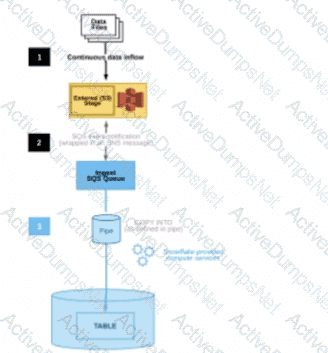
If an AWS Administrator accidentally deletes the SQS subscription to the SNS topic in Step 2, what will happen to the pipe that references the topic to receive event messages from Amazon S3?
Options:
The pipe will continue to receive the messages as Snowflake will automatically restore the subscription to the same SNS topic and will recreate the pipe by specifying the same SNS topic name in the pipe definition.
The pipe will no longer be able to receive the messages and the user must wait for 24 hours from the time when the SNS topic subscription was deleted. Pipe recreation is not required as the pipe will reuse the same subscription to the existing SNS topic after 24 hours.
The pipe will continue to receive the messages as Snowflake will automatically restore the subscription by creating a new SNS topic. Snowflake will then recreate the pipe by specifying the new SNS topic name in the pipe definition.
The pipe will no longer be able to receive the messages. To restore the system immediately, the user needs to manually create a new SNS topic with a different name and then recreate the pipe by specifying the new SNS topic name in the pipe definition.
Answer:
DExplanation:
If an AWS Administrator accidentally deletes the SQS subscription to the SNS topic in Step 2, the pipe that references the topic to receive event messages from Amazon S3 will no longer be able to receive the messages. This is because the SQS subscription is the link between the SNS topic and the Snowpipe notification channel. Without the subscription, the SNS topic will not be able to send notifications to the Snowpipe queue, and the pipe will not be triggered to load the new files. To restore the system immediately, the user needs to manually create a new SNS topic with a different name and then recreate the pipe by specifying the new SNS topic name in the pipe definition. This will create a new notification channel and a new SQS subscription for the pipe. Alternatively, the user can also recreate the SQS subscription to the existing SNS topic and then alter the pipe to use the same SNS topic name in the pipe definition. This will also restore the notification channel and the pipe functionality. References:
Automating Snowpipe for Amazon S3
Enabling Snowpipe Error Notifications for Amazon SNS
HowTo: Configuration steps for Snowpipe Auto-Ingest with AWS S3 Stages
"To circumvent the 72-hour delay, you can create a SNS topic with a different name. Recreate any pipes that reference the topic using the CREATE OR REPLACE PIPE command, and specify the new topic name."https://docs.snowflake.com/en/user-guide/data-load-snowpipe-ts#snowpipe-stops-loading-files-after-amazon-sns-topic-subscription-is-deleted
The IT Security team has identified that there is an ongoing credential stuffing attack on many of their organization’s system.
What is the BEST way to find recent and ongoing login attempts to Snowflake?
Options:
Call the LOGIN_HISTORY Information Schema table function.
Query the LOGIN_HISTORY view in the ACCOUNT_USAGE schema in the SNOWFLAKE database.
View the History tab in the Snowflake UI and set up a filter for SQL text that contains the text "LOGIN".
View the Users section in the Account tab in the Snowflake UI and review the last login column.
Answer:
BExplanation:
This view can be used to query login attempts by Snowflake users within the last 365 days (1 year). It provides information such as the event timestamp, the user name, the client IP, the authentication method, the success or failure status, and the error code or message if the login attempt was unsuccessful. By querying this view, the IT Security team can identify any suspicious or malicious login attempts to Snowflake and take appropriate actions to prevent credential stuffing attacks1. The other options are not the best ways to find recent and ongoing login attempts to Snowflake. Option A is incorrect because the LOGIN_HISTORY Information Schema table function only returns login events within the last 7 days, which may not be sufficient to detect credential stuffing attacks that span a longer period of time2. Option C is incorrect because the History tab in the Snowflake UI only shows the queries executed by the current user or role, not the login events of other users or roles3. Option D is incorrect because the Users section in the Account tab in the Snowflake UI only shows the last login time for each user, not the details of the login attempts or the failures.
When using the copy into