
Microsoft AB-730 AI Business Professional Exam Practice Test
AI Business Professional Questions and Answers
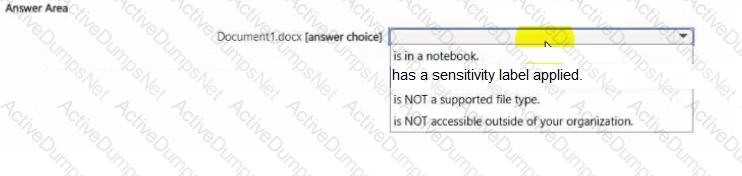
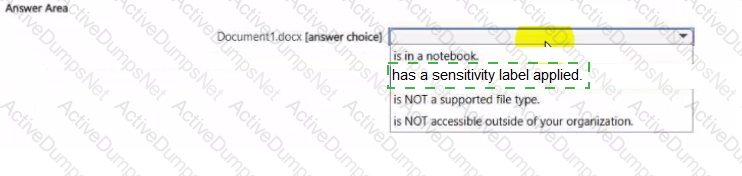
Select the answer that correctly completes the sentence.



You ask Microsoft 365 Copilot to create a report based on information from the web. You verify the response and discover that some information is fictional.
What is this an example of?
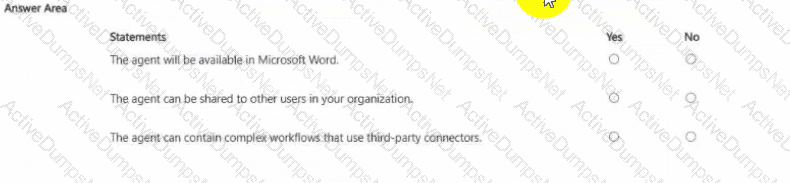
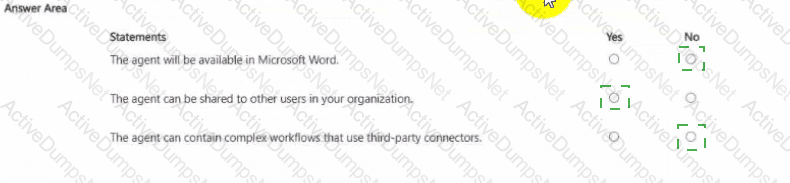
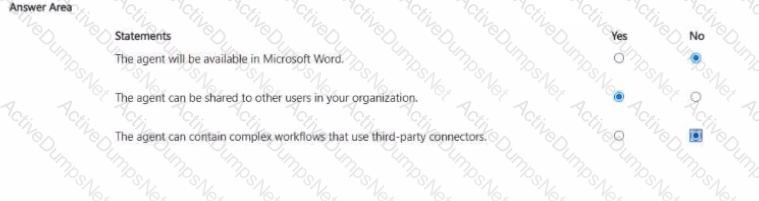
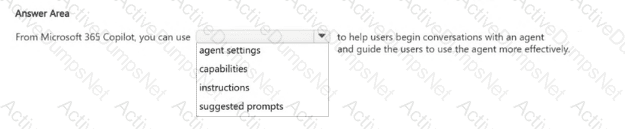
You plan to create an agent by using the Microsoft 365 Copilot app.
For each of the following statements, select Yes if the statement is true. Otherwise, select No.
NOTE: Each correct selection is worth one point.
You have a Microsoft 365 Copilot conversation as shown in the following exhibit.
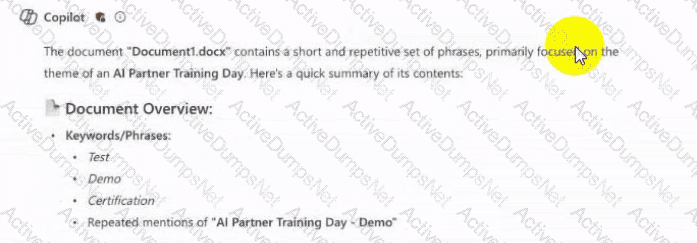
Use the dropdown menus to select the answer choice that completes the statement based on the Information presented in the graphic.

What is the purpose of adding custom instructions in Microsoft 365 Copilot?
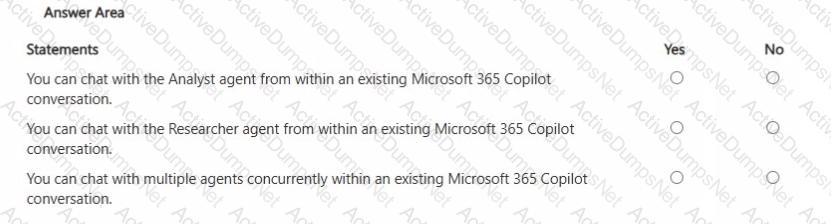
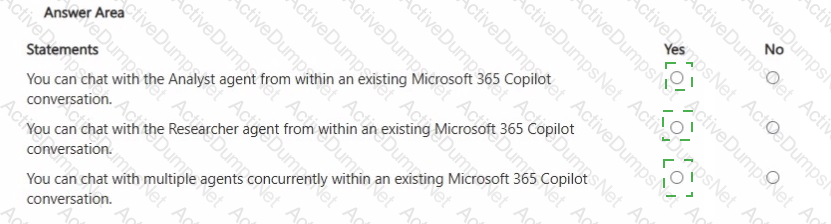
For each of the following statements, select Yes if the statement is true. Otherwise, select No. NOTE: Each correct selection is worth one point.
You use Microsoft 365 Copilot.
You regularly upload the same five files to Copilot chats.
You need to simplify referencing the files in the chats.
What are two ways to achieve the goal?
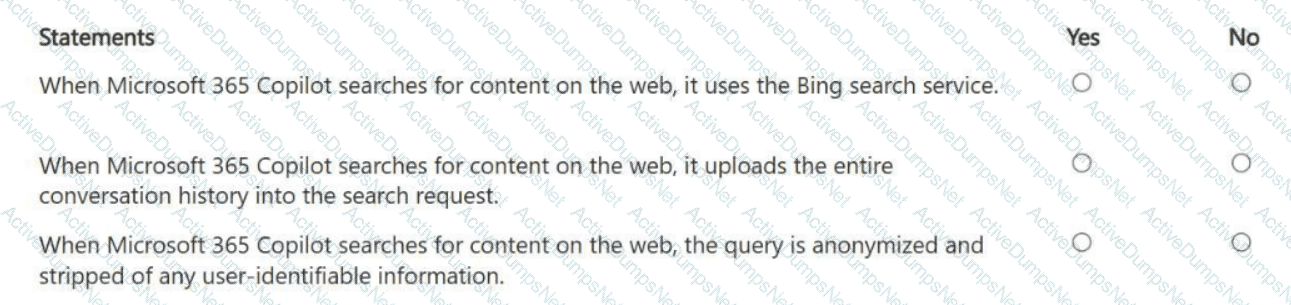
For each of the following statements, select Yes if the statement is true. Otherwise, select No.
NOTE: Each correct selection is worth one point.

You are creating a custom agent in the Microsoft 365 Copilot app for the marketing team at your company. The agent will be used to produce marketing collateral, including copy, logos, and artwork.
What should you add to the agent? More than one answer choice may achieve the goal. Select the BEST answer.
You are a merchandiser who is planning for the upcoming season.
You prompt Microsoft 365 Copilot to suggest which products to stock based on historical sales data. Without reviewing the suggestions or checking current market trends, you place a large order based solely on the output of Copilot.
What is this an example of?
Select the answer that correctly completes the sentence.

Which statement accurately describes Microsoft 365 Copilot data security when using a regular chat?
You have a Microsoft 365 subscription.
You do NOT have a Microsoft 365 Copilot license.
When you send a prompt in Microsoft 365 Copilot Chat, which three sources does Copilot Chat use to respond? Each correct answer presents part of the solution.
NOTE: Each correct selection is worth one point.
You are a marketing assistant preparing for a budget meeting with your manager.
You need to evaluate key spending and performance trends from the last year to understand which marketing channels deliver the best return on investment (ROI).
What should you use in Microsoft 365 Copilot to achieve the goal? More than one answer choice may achieve the goal. Select the BEST answer.
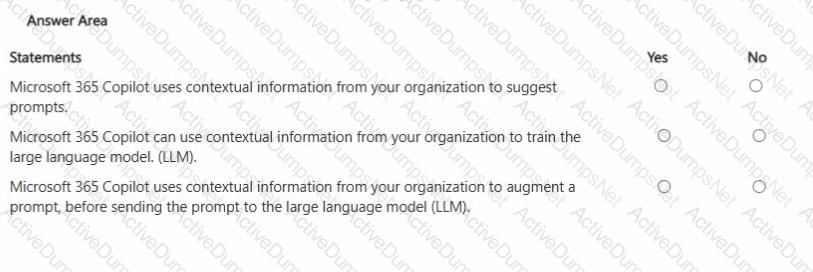
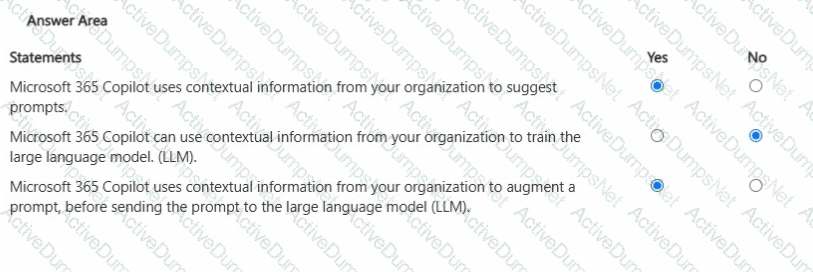
For each of the following statements, select Yes if the statement is true. Otherwise, select No.
NOTE: Each correct selection is worth one point.
You use the Researcher agent in Microsoft 365 Copilot to generate a report.
What can you use to verify whether the report was generated by using valid sources?
You run a prompt by using the Researcher agent in Microsoft 365 Copilot.
For each of the following statements, select Yes if the statement is true. Otherwise, select No.
NOTE: Each correct selection is worth one point.
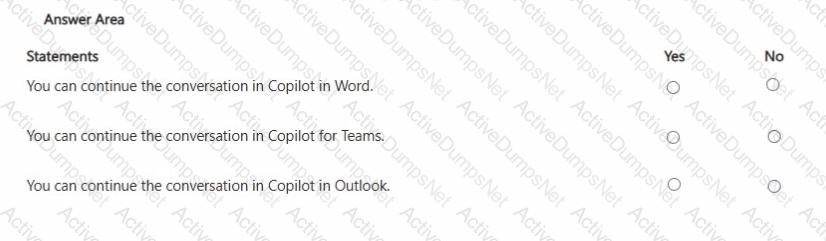

You are discussing Microsoft 365 Copilot with a colleague. The colleague asks which data Copilot uses to answer questions when using the Work scope.
What should you tell your colleague?
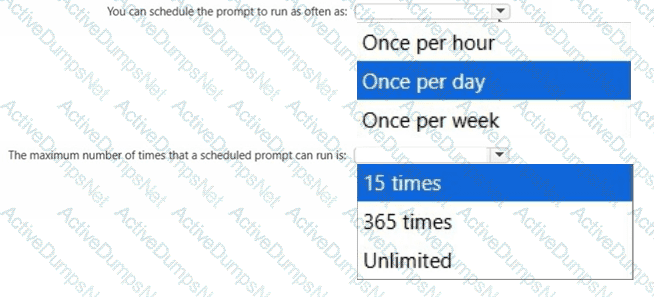
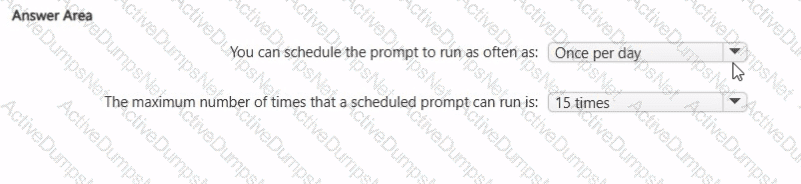
What are two limitations of prompt scheduling in Microsoft 365 Copilot? To answer, select the appropriate options in the answer area.
NOTE: Each correct selection is worth one point.

You use Microsoft 365 Copilot to generate a training plan.
You need to check if there are any existing training plans in your organization that are similar to the new training plan. What should you use in Copilot?
You run a saved prompt and receive the following response:
" You asked for a summary of File.docx. However, the file appears to be either empty, corrupted, or in a format that I cannot process. "
What is a possible cause of the response?
You plan to summarize a proposal for a partnership between your company and another company.
You need to use Microsoft 365 Copilot to summarize the information in the proposal as a bulleted list of three to five key points for a project kickoff meeting. Each bullet point must be concise and simply worded.
Which two details should you include in the prompt?
Select the answer that correctly completes the sentence.



You use Microsoft 365 Copilot.
Which two factors should you consider when creating an effective prompt? Each correct answer presents a complete solution.
NOTE: Each correct selection is worth one point.
You are a medical researcher.
You need to ensure that Microsoft 365 Copilot responds to you in a professional manner that is appropriate to your field. What is the best approach to achieve the goal?
You create a prompt and add several files from your Microsoft OneDrive.
You share the prompt to a user by using email.
What occurs when the user uses the prompt?