Cisco 100-140 Cisco Certified Support Technician (CCST) IT Support Exam Practice Test
Cisco Certified Support Technician (CCST) IT Support Questions and Answers
A help desk technician is troubleshooting Wi-Fi connectivity issues on a user ' s mobile phone. Restarting the phone and router did not resolve the issue.
Which next step should a help desk technician take to attempt to resolve the issue?
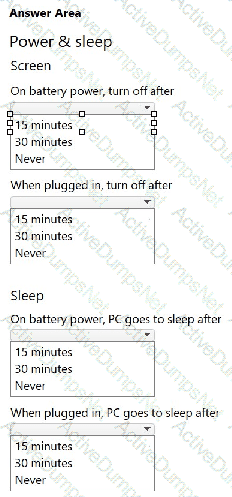
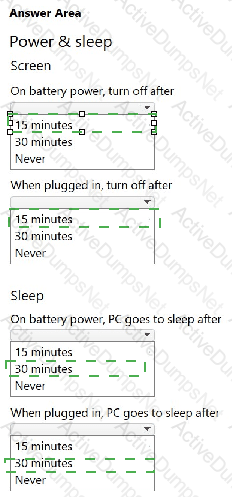
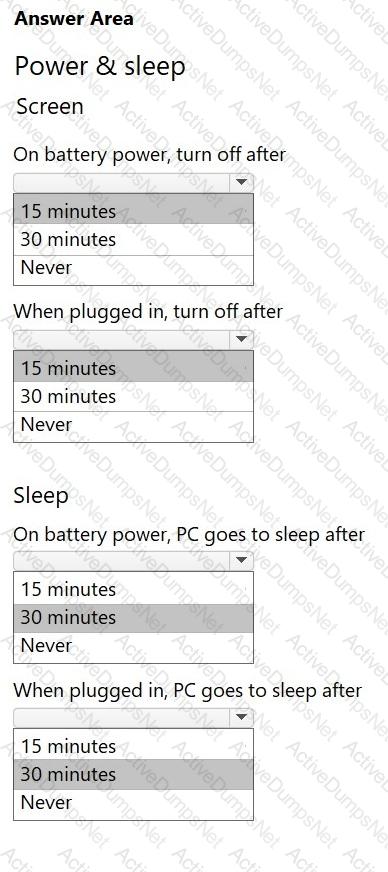
Your company allows users to use their personal devices while in company meetings. However, the computers must meet the following power management requirements:
The display must always turn black if the computer has no activity for 15 minutes.
The computer must always go into low-power mode if it has no activity for 30 minutes.
The computer must never hibernate.
You need to configure power management for a user ' s laptop to meet the requirements.
Select the correct options in the Power & Sleep settings window show in the answer area.
 C:\Users\Waqas Shahid\Desktop\Mudassir\Untitled.jpg
You are working from home over a weekend to resolve a backlog of employee help desk tickets. A user issue requires you to access their Windows 11 computer in the home office to check its settings. You have verified that the machine is available, but the user is not present.
Which remote access application is best suited for this task?
A new employee at your company has just finished being onboarded. She contacts you and complains that her virtual machine is very slow. You suspect that her machine needs more resources allocated to it.
How can the virtual machine be configured with more resources?
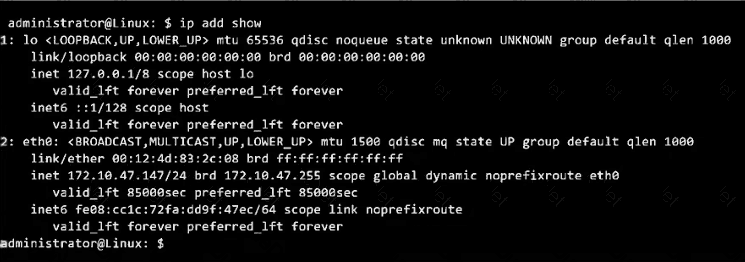
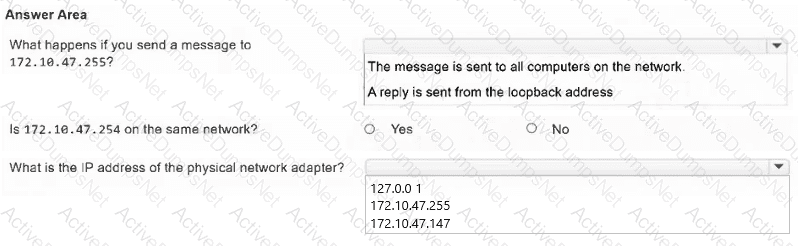
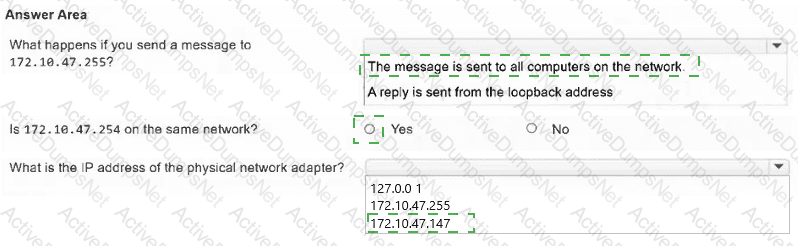
You run the ip add show command on a Linux computer that has one physical network adapter. The output is shown in the exhibit.
Evaluate the output and answer the questions by selecting the correct option from each drop-down list.
Note: You will receive partial credit for each correct selection.
Which two of the following are supported operating systems for Remote Desktop client connections? (Choose two.)
Note: You will receive partial credit for each correct selection.
An office uses a DHCP server for all computers on the network. A user calls to report problems connecting to the network. You discover that the computer has been configured with a manual IP address.
Which two possible negative effects could this have? (Choose two.)
Note: You will receive partial credit for each correct selection.
A user needs assistance configuring Microsoft Teams so that it will start automatically.
Which category in Teams should the user select to set the application to auto-start?
A help desk technician is using Windows Device Manager to troubleshoot a hardware issue reported by a user.
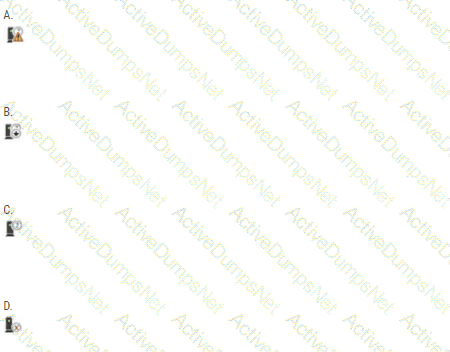
Which indicator identifies a device that might be malfunctioning?
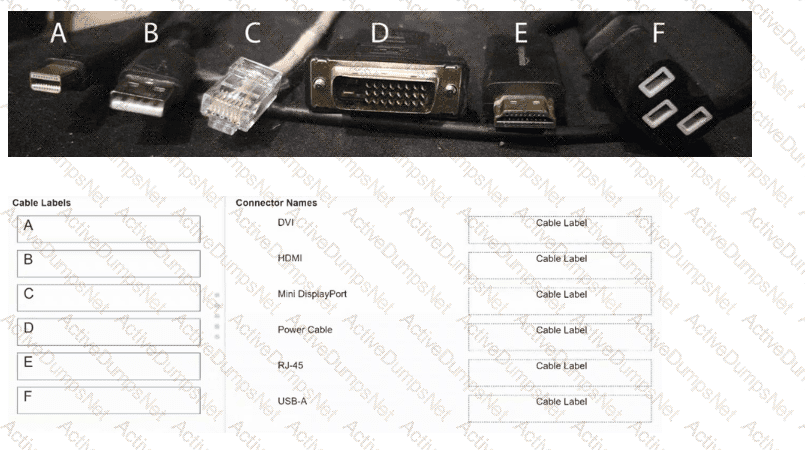
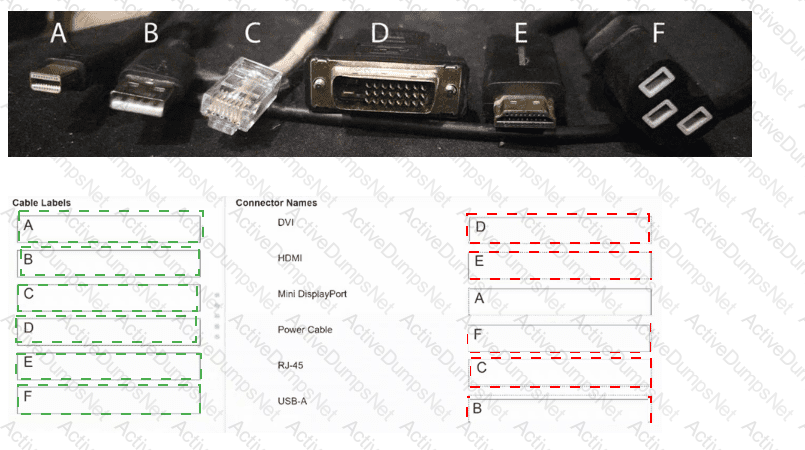
You are assigned the task of organizing a variety of cables collected from an IT storage closet and labeling them with the appropriate name.
Match each cable label to its connector name.
Note: You will receive partial credit for each correct match.
A user reports the following:
I recently got a prompt on my Mac to give an app permissions. I accidentally clicked Deny. Now I can ' t open the app.
You need to tell the user where to go to grant the necessary permissions to the application.
Which feature should they use?
A user calls help desk to report that they cannot connect to the company ' s internal WiFi network.
The help desk technician is following the problem-solving process to resolve the user ' s issue. After defining the problem and gathering detailed information, the technician suspects the most probable cause of the issue is a misconfiguration in the user ' s network settings.
What should the technician do next?
You receive a call from a user stating that their webcam stopped working. There have been no operating system updates since it was last working.
Which action should you tell the user to perform first?
Which document outlines a commitment between an organization and a customer, including details of the service, the standards the provider must adhere to, and compensation for the successful completion of those milestones?
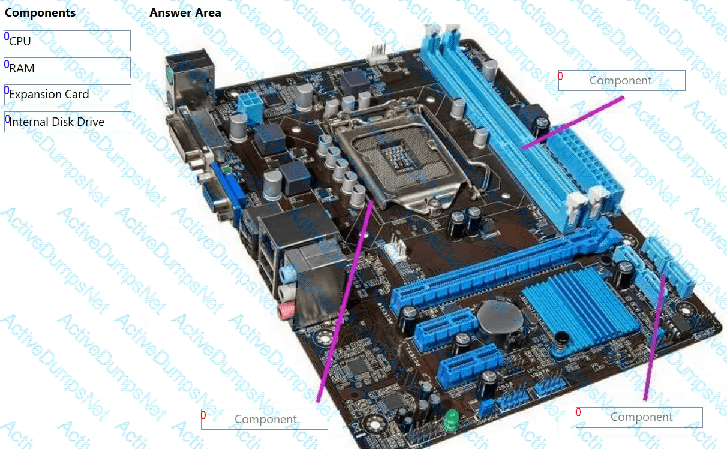
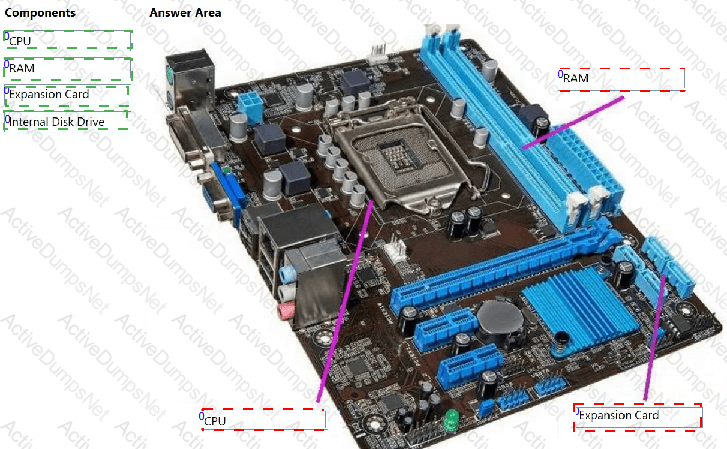
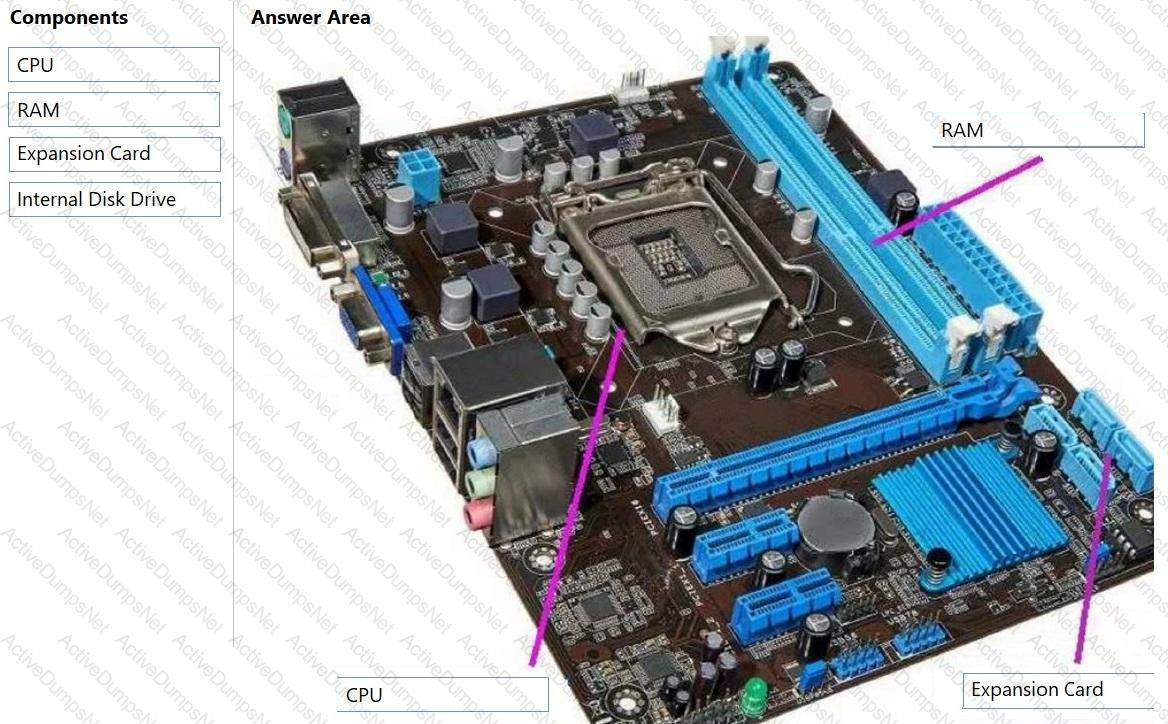
A customer purchased a new motherboard for a desktop computer. The customer needs help installing the correct components. The customer sends you a picture of the motherboard, which is shown in the answer area.
You need to assist the customer in identifying the installation location of three components.
To answer, move the appropriate components from the list on the left to the correct locations on the right. You may use each component once more than once, or not at all.
Note: You will receive partial credit for each correct response.
 C:\Users\Waqas Shahid\Desktop\Mudassir\Untitled.jpg
Which three pieces of information would be considered Personally Identifiable Information (PII)? (Choose three.)
Note: You will receive partial credit for each correct selection.
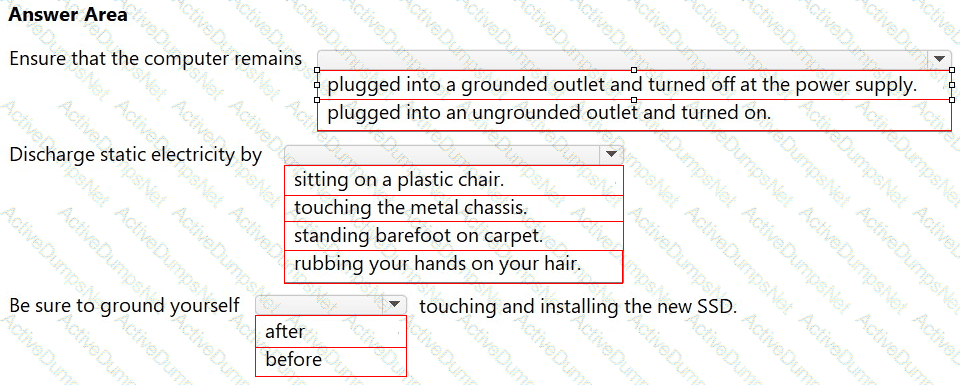
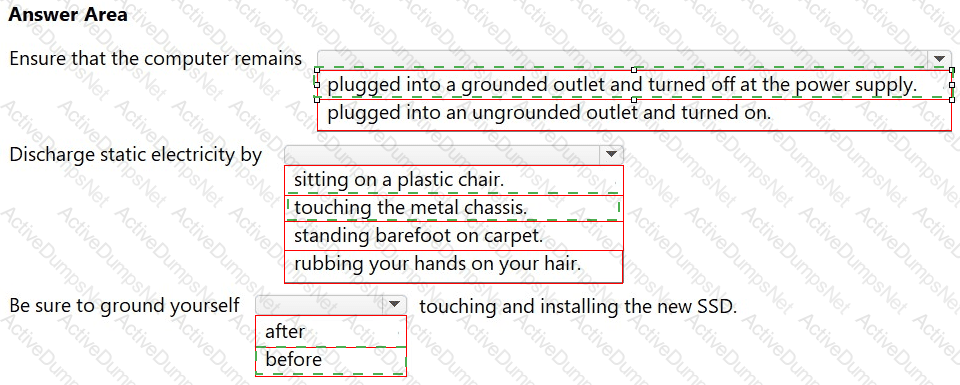
You are adding a new solid state drive (SSD) to a customer ' s desktop computer.
You need to follow safety procedures to prevent electrical shock and electrostatic discharge.
Complete the sentences by selecting the correct option from each drop-down list.
Note: You will receive partial credit for each correct selection.