
Apple App-Development-with-Swift-Certified-User App Development with Swift Certified User Exam Exam Practice Test
Total 40 questions
App Development with Swift Certified User Exam Questions and Answers
Complete the code that will add the BlueView to the NavigationStack and present the RedView modally.
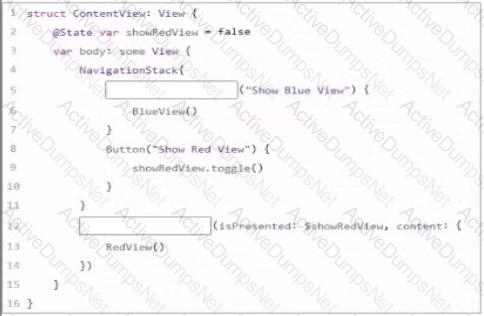
|Complete the code by typing in the boxes.
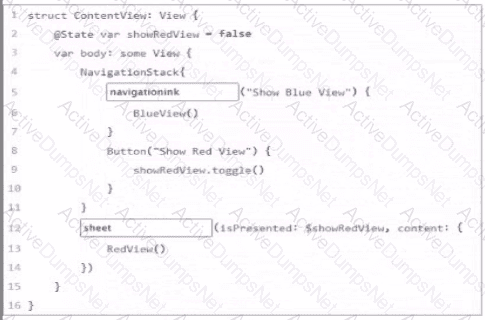
Review the code snippet.

What will print after the final line of code is executed?
Answer the question by typing in the box.
You have created a view which includes some formatted text:

You decide to extract this formatted text into a subview so that you can reuse the formatting for other texts.
You highlight the Text and choose Extract subview.
You refactor ExtractedView to BigGreenTextView.
You add the line let text: String to the extracted view above the body.
You replace " That ' s all folks " with a reference to text
How should you call this extracted View from the original View?
Review the code.
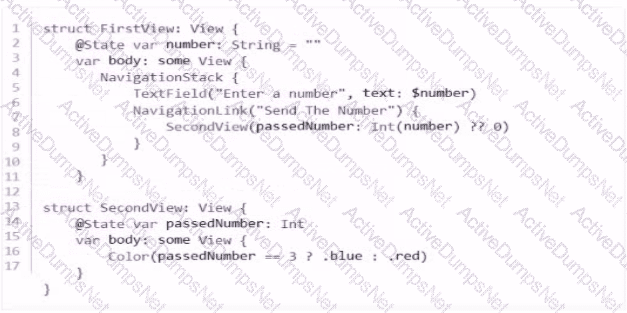
When entered into the TextField, which number will display a blue canvas on the SecondView?
In SwiftUI, how can you extract a subview from a main view to make the code more modular?

Which two assignments of a value to direction are allowed? (Choose 2.)
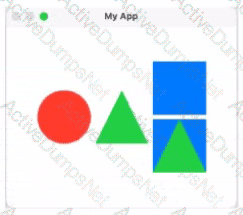
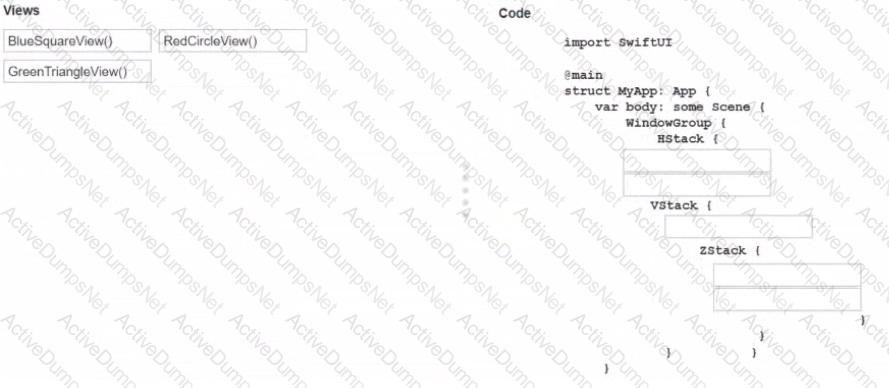
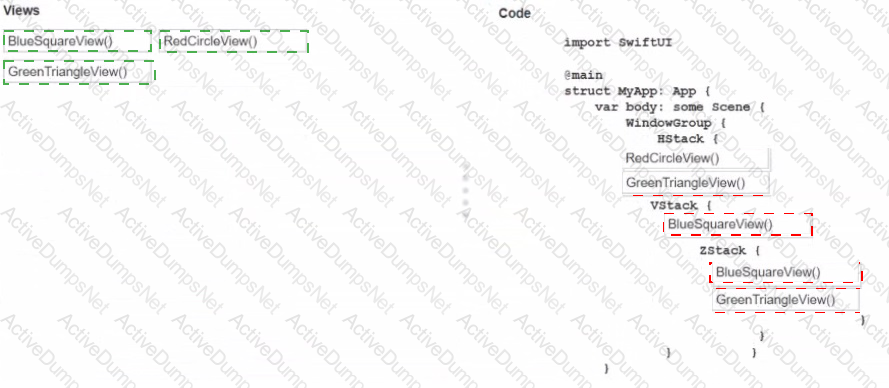
Drag the views on the left to the correct locations m the code on the fight to match the shown canvas.
You may use each View once, more than once, or not at all.
You need to create a Watchpoint in Xcode. In which order should you complete the actions? Move all the actions to the answer area and place them in the correct order.



Which two statements about building an app are true? (Choose 2.)
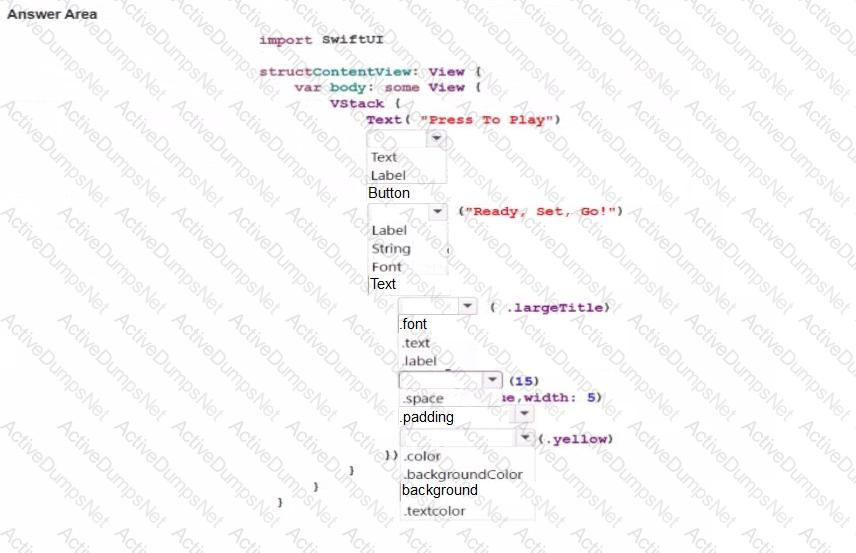
Complete the code by selecting the correct option from each drop-down list to create the following screen.
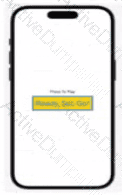
Note: You will receive partial credit for each correct answer.
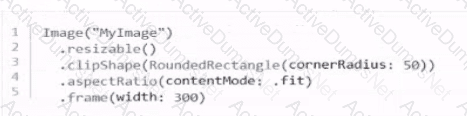
Which code correctly creates a size 300 rectangular Image View with rounded corners that displays the entire image, regardless of size?
A)
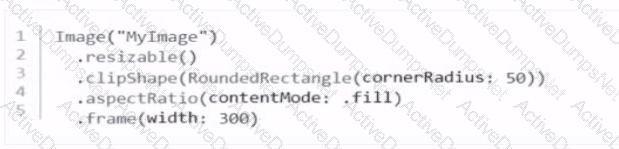
B)
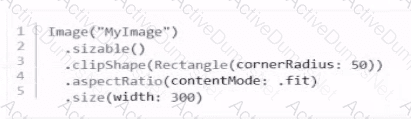
C)
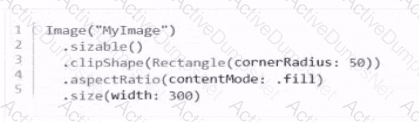
D)
Review the code snippet.

What is the value of answer after you run the code?
Total 40 questions